Library / Blogs
Cloudflare Blog
Deep technical posts on networking, DNS, CDN, security and edge computing from a company that runs a huge global network.
By Cloudflare engineers · Cloudflare · Added 2026-10-12
All content belongs to Cloudflare engineers / Cloudflare. We only link to it and give credit. Report a problem
Learn this article
About 37 min left. Your work is saved as you go.
What you are about to study
Cloudflare wrote this to explain how they thought about a problem. You should know the basics: caching, queues and replication.
Ideas you will meet
- CDN
- Serve content from edge locations close to users.
- DNS
- How names resolve, TTLs, and DNS-based traffic routing.
- HTTP and QUIC
- HTTP versions, QUIC, caching headers and web performance.
What we already know about this
Our own lessons on these ideas. Read them here before you start, so it makes sense.
System Design Foundations · 11 minNetworking, APIs and CDNsWhat happens between a click and your server: DNS, HTTP, API styles, and how a CDN moves content closer to users.Read here
The journey of a request
Before your code runs, a lot happens. When a browser loads
https://shop.example.com:100%Figure SDA-FND-09-1 · Request journey: DNS, CDN, origin · © forcsguy.com
- DNS turns the name into an IP address. Answers are cached at several levels for a time given by the record's TTL, so changes spread gradually.
- A connection is opened (TCP) and secured (TLS). Each step costs round trips, so long distances hurt.
- HTTP carries the request and response.
Latency is mostly physics: a round trip across an ocean costs over 100 ms no matter how fast your code is. The only fixes are fewer round trips and moving data closer to the user.
 Image: Syced · CC0 · Source · Wikimedia Commons: Fujikura optic fiber at Science Museum
Name lookup is a short chain of questions, each answered by a more specific server:
100%Figure SDA-FND-09-2 · How a name becomes an address · © forcsguy.com
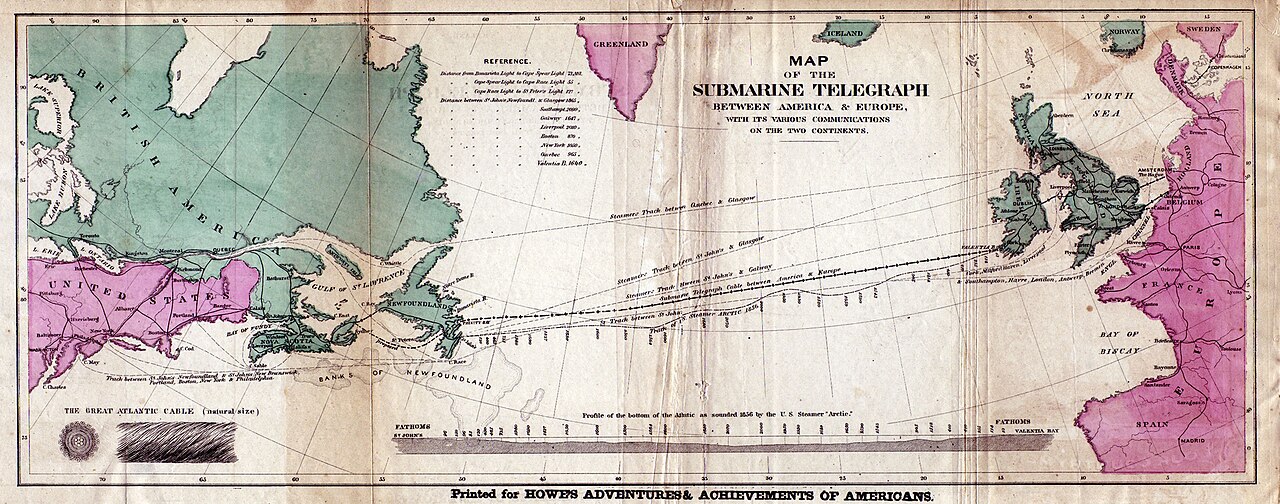 Image: Howe's Adventures & Achievements of Americans · Public domain · Source · Wikimedia Commons: Transatlantic submarine cable map
CDNs
A content delivery network is a worldwide set of servers (edges) that keep copies of your content close to users.
- Great for static files: images, video, scripts, stylesheets, and often whole pages that rarely change.
- Cuts latency, absorbs traffic spikes and shields your origin from load.
- Controlled by cache headers (
Cache-Control: max-age=...) and purge APIs when content changes. - Use a versioned file name (
app.3f9a.js) so you can cache for a year and still ship updates instantly.
100%Figure SDA-FND-09-3 · Content delivery in tiers · © forcsguy.com
Before: everyone goes to the origin
100%After: a CDN serves copies near users
100%What changed
- Users get files from a nearby location
- The origin handles far fewer requests
- Changed files need invalidation or versioned names
Choosing an API style
Style Strength Watch out for REST over HTTP/JSON Simple, cacheable, universal Over-fetching, many round trips for complex screens GraphQL Client asks for exactly the fields it needs Query cost control, caching is harder gRPC Fast binary protocol, strong contracts Needs tooling, awkward in browsers SOAP XML messages with a formal contract (WSDL) and built-in standards for security and transactions, still common in banks and older enterprise systems Verbose, heavier tooling, rarely chosen for new public APIs WebSockets / SSE Server can push live updates Long-lived connections need extra capacity and care A good default is REST for public APIs, gRPC between internal services if you need speed, and WebSockets only where live push is truly needed.
Designing good APIs
- Version them so old clients keep working.
- Paginate list endpoints (cursor-based pagination stays stable as data changes).
- Make writes idempotent with idempotency keys, so a retry does not double-charge.
- Return clear errors with correct status codes.
- Authenticate and rate limit at the edge, often in an API gateway that also handles routing, logging and TLS.
100%Figure SDA-FND-09-4 · API gateway in front of services · © forcsguy.com
More on this site
Related reading
- High Performance Browser NetworkingIlya Grigorik · O'ReillyBooks
- HTTP/3: the past, the present, and the futureCloudflareBlogs
- MDN: HTTP cachingMDN contributors · MozillaDocumentation
- Cloudflare BlogCloudflare engineers · CloudflareBlogs
Show 6 moreShow fewer
- The Road to QUICCloudflareBlogs
- Flannel: An Application-Level Edge Cache to Make Slack ScaleSlack Engineering · SlackCase Studies
- Cloudflare Learning Center: What is a CDN?CloudflareDocumentation
- Cloudflare EngineeringCloudflare engineers · CloudflareBlogs
- Justin.tv's Live Video Broadcasting Architecture - High Scalability -High Scalability engineers · High ScalabilityCase Studies
- Service Workers at SlackSlack engineers · SlackCase Studies
Classic System Designs · 13 minDesign a video streaming serviceUpload, process and stream video to millions: transcoding pipelines, adaptive bitrate and using a CDN without going bankrupt.Read here
The problem
A video streaming service lets users upload videos and lets many others watch them smoothly on any device and connection.
Requirements
- Upload large files reliably.
- Playback starts quickly and does not buffer.
- Works on phones, TVs and browsers, on fast and slow networks.
- Huge scale, with traffic dominated by viewing, not uploading.
- Keep cost under control.
Estimates that shape the design
- Video files are big: a few GB uploaded, then several versions stored.
- Views outnumber uploads by orders of magnitude, and bandwidth is the main bill.
High-level design
Two separate flows: upload and process, and stream.
100%Figure SDA-CSD-10-1 · Upload-and-process and streaming flows · © forcsguy.com
Upload
- The client asks the API for an upload URL and sends the file directly to object storage, in chunks that can resume after a network drop. Your application servers never carry the video bytes.
- When the upload finishes, storage emits an event that starts processing.
Processing pipeline
Raw video cannot be streamed to everyone. The pipeline:
- Splits the video into short segments, so they can be processed in parallel.
- Transcodes each into several resolutions and bitrates (for example 240p to 4K) and several formats and codecs.
- Creates thumbnails, subtitles, and sometimes watermarks.
- Runs checks: content moderation, copyright matching, virus scanning.
- Writes a manifest listing the available versions.
- Updates the metadata (title, status) so the video becomes visible.
Model it as a graph of tasks run by a workflow engine over a queue and a pool of workers, so steps parallelise, retry independently and scale with load.
100%Figure SDA-CSD-10-2 · Transcoding task graph · © forcsguy.com
Inside the transcoding pipeline
Transcoding is heavy and varies by creator (some want watermarks, some supply thumbnails, some upload very high resolution). So define the work as a task graph (a DAG): the original is split into video, audio and metadata; the video stage fans out into encodings at several resolutions and bitrates, a thumbnail and optionally a watermark; the audio stage encodes separately; a final stage merges. Independent branches run in parallel.
The parts that make it run:
- Pre-processor splits the video into short independently playable chunks (aligned to groups of pictures), builds the graph from configuration, and keeps the chunks in temporary storage so a failed step can retry without starting over.
- Graph scheduler cuts the graph into stages and puts the tasks on a queue.
- Resource manager keeps a priority queue of tasks, a priority queue of worker availability and a list of what is running, and pairs the most important task with the best-suited worker.
- Workers run specific tasks; temporary storage holds metadata in memory and media in blob storage and is cleaned when the job ends.
Two vocabulary points: a container (.mp4, .mov) is the wrapper holding video, audio and metadata; a codec (H.264, VP9, HEVC) compresses the content. Raw footage can be hundreds of GB per hour, which is the first reason to transcode; the others are device compatibility and adapting quality to bandwidth.
Cloud services instead of building everything
100%Figure SDA-CSD-10-3 · Two paths: video and everything else · © forcsguy.com
100%Figure SDA-CSD-10-4 · Upload flow with completion events · © forcsguy.com
100%Figure SDA-CSD-10-5 · Metadata is updated in parallel with the upload · © forcsguy.com
Streaming
- The player downloads the manifest, then fetches small segments over plain HTTP (the HLS and MPEG-DASH formats work this way).
- Adaptive bitrate: the player measures its throughput and switches between quality levels segment by segment, so playback adapts to the connection instead of stopping.
- Segments are static files, ideal for CDN caching.
100%Figure SDA-CSD-10-6 · One video, many encodings · © forcsguy.com
100%Figure SDA-CSD-10-7 · Popular videos from the CDN, the rest from storage servers · © forcsguy.com
The CDN and cost
CDN traffic is expensive. Practical tactics:
- Serve popular videos from edge caches; keep the long tail only at the origin or in a regional cache.
- Pre-position new releases that you expect to be popular.
- Choose bitrates carefully, and use efficient codecs for popular content (extra encoding cost is repaid by lower bandwidth).
- Large services run their own cache servers inside ISPs to cut transit cost.
Before: serve from the origin
100%After: serve from a CDN
100%What changed
- Viewers stream from a nearby edge, so less buffering
- The origin handles only cache misses
- Bandwidth cost falls because edges absorb the traffic
Metadata and other parts
- A database for video metadata, ownership, comments and counts, with caches for the hot reads.
- Search and recommendations as separate services fed by events.
- View counts are written to a queue and aggregated, not updated row by row on every view.
- Security: signed URLs for private videos, and DRM for premium content.
Speed, safety and cost, in detail
- Parallel and resumable uploads: the client cuts the file into chunks and uploads them independently, so a drop resumes at the last chunk. Put upload points near users (a CDN works as an upload edge).
- Loose coupling: a queue between download, encode and publish steps lets each stage work as soon as items arrive instead of waiting for the previous stage to finish a whole file.
- Pre-signed upload URLs: the API issues a short-lived address that authorises one upload to one location, so clients never hold storage credentials.
- Protecting content: DRM, encrypted streams with an authorisation check at playback, and visible watermarks.
- Cost: a rough sum shows CDN delivery alone could cost on the order of a hundred thousand dollars a day at this scale, and views follow a long tail. So serve only the popular videos from the CDN, serve the rest from your own storage servers, keep fewer encoded versions of rarely watched videos (encode short ones on demand), keep regional favourites in their region, and at very large scale partner with internet providers or run your own delivery network. Always check your own viewing data first.
Errors. Separate recoverable errors (a chunk fails to encode: retry a few times) from non-recoverable ones (malformed file: stop the job and return a clear error). A playbook per component: retry uploads and encodes; if an old client cannot chunk, chunk on the server; regenerate a graph or reschedule a task if the pre-processor or scheduler fails; use replicas for queues, caches and databases; promote a replica if a primary database fails.
Live streaming differs in needing lower latency (a different protocol), less parallelism (chunks are small and processed as they arrive) and error handling that cannot afford long retries. Takedowns need both upload-time checks and user flagging.
100%Figure SDA-CSD-10-8 · Chunked, resumable and regional uploads · © forcsguy.com
100%Figure SDA-CSD-10-9 · Pre-signed upload URL · © forcsguy.com
Failure handling
Every processing task is idempotent and tracked, so a failed or retried segment does not corrupt the output. Failures go to a dead-letter queue and set a visible error status. Use multiple regions for storage and CDN origins so viewing survives a regional outage.
Worked numbers: why a CDN is not optional
Suppose 5 million viewers are watching at the same time, each at an average of 3 Mbit/s.
- Egress: 5,000,000 x 3 Mbit/s = 15 Tbit/s. No single data centre network, and no sensible origin, can send that. Video is served from edge caches close to viewers; the origin only sends each popular segment to each edge once.
- Why caching works so well: video segments are the same files for everyone watching, and demand is highly skewed. A popular show may be 90%+ cache hits at the edge, so the origin sees a small fraction of the traffic.
- Upload side: if 1 million videos are uploaded a day at an average of 300 MB, that is 300 TB a day of originals, before the several encoded versions of each (often 5 to 8 renditions, which together can take as much space as the original or more). The long tail of rarely watched videos is the main storage cost, which is why some systems encode extra renditions only when a video becomes popular.
100%Figure SDA-CSD-10-10 · Fast transcoding by splitting a video into segments · © forcsguy.com
How the player picks the quality
Streaming uses adaptive bitrate (ABR): the video exists in several renditions (for example 240p to 1080p), each cut into the same short segments, and the player decides per segment which one to request.
- The player downloads the playlist (manifest) listing the renditions and segments.
- It starts with a conservative rendition so playback begins quickly.
- For each segment it measures how fast the download went and how full its buffer is.
- If the buffer is healthy and the network fast, it steps up a rendition; if the buffer is draining, it steps down before the video stalls.
Because every rendition has identical segment boundaries, switching is seamless. Viewers see a slightly softer picture instead of a spinning wheel.
100%Figure SDA-CSD-10-11 · The player adapts to the network segment by segment · © forcsguy.com
Mistakes people make
- Encoding every rendition for every upload. Most videos are barely watched. Encode a base set first and add more when a video proves popular.
- Serving from the origin. Without a CDN the origin saturates and far-away viewers buffer.
- Cold caches on a launch. A new popular release hits empty edges. Pre-warm the CDN for expected hits.
- Uploads that cannot resume. Large files over mobile networks fail often; use chunked, resumable uploads.
- Forgetting access control. Public segment URLs are easily shared. Use signed, expiring URLs, and DRM where licences require it.
- Ignoring start-up time. Viewers leave if playback takes more than a couple of seconds. Short first segments, a good first rendition and a nearby edge matter more than peak quality.
Try it yourself
Open the System Builder's viral link challenge to see how much traffic a CDN takes off your servers, and the WebRTC lesson for when low-latency live video needs a different approach than segment-based streaming.
More on this site
Related reading
- HTTP/3: the past, the present, and the futureCloudflareBlogs
- Cloudflare BlogCloudflare engineers · CloudflareBlogs
- The Road to QUICCloudflareBlogs
- Cloudflare EngineeringCloudflare engineers · CloudflareBlogs
Show 6 moreShow fewer
- High Performance Browser NetworkingIlya Grigorik · O'ReillyBooks
- MDN: HTTP cachingMDN contributors · MozillaDocumentation
- Meta Engineering BlogMeta Engineering · MetaBlogs
- Flannel: An Application-Level Edge Cache to Make Slack ScaleSlack Engineering · SlackCase Studies
- Netflix ResearchNetflix engineers · NetflixBlogs
- Nvidia Engineering BlogNvidia engineers · NvidiaBlogs
Real-World Systems · 10 minHow a browser turns a URL into a pageFrom the address bar to pixels: navigation, parsing, the render pipeline, JavaScript, and what makes pages fast or slow.Read here
From address bar to HTML
When you press Enter on
https://example.com/page:- The browser decides if it is a URL or a search, and checks its caches (HTTP cache, service worker).
- DNS turns the name into an IP address; a TCP connection and TLS handshake follow (with HTTP/3, QUIC does both at once). See the networking lessons.
- It sends an HTTP request and receives the HTML response, streaming in as it arrives.
A multi-process program
Modern browsers run as several processes for speed and safety:
- a browser process (address bar, tabs, navigation),
- a renderer process per site or tab (parsing, JavaScript, layout, painting),
- a network process, and a GPU process for drawing.
A crashing or malicious page is isolated in its own renderer and cannot read other sites' data.
The rendering pipeline
100%Figure SDA-RWS-11-1 · Browser rendering pipeline · © forcsguy.com
- Parse HTML into the DOM (a tree of elements). Parsing is incremental: the browser starts working before the whole file arrives.
- Parse CSS into the CSSOM. Rendering waits for CSS, because showing unstyled content then restyling would flash. CSS is render-blocking.
- Combine into the render tree (only visible elements, with computed styles).
- Layout works out the size and position of every box.
- Paint draws the boxes into layers.
- Composite: the GPU assembles layers into the final image. Animating a layer's
transformoropacityonly needs this last step.
JavaScript on the main thread
- JavaScript runs on the renderer's main thread, one task at a time in an event loop, alongside parsing, layout and input handling. A long script blocks everything, and the page feels frozen.
- A normal
<script>is parser-blocking: parsing stops until it downloads and runs. Usedefer(run after parsing, in order) orasync(run as soon as available) for scripts not needed to build the first view. - Changing the DOM or styles can trigger reflow (layout again) and repaint. Reading layout values in a loop right after writing styles forces repeated layout (layout thrashing): batch reads and writes.
What makes pages fast
Goal Techniques Less to download Compression (brotli, gzip), image optimisation and modern formats, remove unused JavaScript Fewer round trips CDN, HTTP/2 and 3, preconnect, caching with long lifetimes and versioned namesLess blocking Inline critical CSS, deferscripts, avoid huge CSS and fonts blocking textSmooth interaction Break up long tasks, move heavy work to web workers, animate with transformandopacityLoad only what is visible Lazy-load images and routes Browsers also cache, preload likely navigations, and can run offline logic with service workers.
Measuring
Use the Core Web Vitals: LCP (when the main content appears), INP (responsiveness to input) and CLS (unexpected layout shifts). Check both lab tests and real-user data, because real devices and networks are slower and more varied than a developer laptop.
Real-world reading
Related reading
- Chrome Developers BlogGoogle engineers · GoogleBlogs
- Android Developers BlogGoogle engineers · GoogleBlogs
- The Road to QUICCloudflareBlogs
- Julia Evans' BlogJulia Evans · jvns.caBlogs
Show 6 moreShow fewer
- Cloudflare BlogCloudflare engineers · CloudflareBlogs
- RFC 9000: QUICIETFDocumentation
- Cloudflare EngineeringCloudflare engineers · CloudflareBlogs
- Web VitalsGoogle web.dev · GoogleDocumentation
- Curalate Engineering BlogCuralate engineers · CuralateBlogs
- Zapier Engineering BlogZapier engineers · ZapierBlogs
Go deeper on this
A path through videos, articles, other case studies and code on the same ideas as Cloudflare Blog.
Warm upGet the vocabulary first.
Books · Free from the author
High Performance Browser Networking
How TCP, TLS, HTTP/2, WebSocket and mobile networks affect web performance; free to read.
O'ReillyIntermediate
Documentation
Cloudflare Learning Center: What is a CDN?
Plain-language explanation of CDNs, edge caching and DNS.
CloudflareBeginner
WatchHow others solve the same problem, on video.
Videos belong to their creators and play from YouTube. More on YouTube (opens in a new tab)
ReadEngineers explain it in their own words.
Blogs
Cloudflare Engineering
Cloudflare's engineering posts, on topics like memory optimisation, Rust Workers, server hardware and data platforms.
CloudflareIntermediate
Blogs
HTTP/3: the past, the present, and the future
A history of HTTP versions and what HTTP/3 over QUIC changes.
CloudflareIntermediate
See it in another companyThe same ideas, a different system.
Case Studies · Read here
CDN Services at Spotify
Spotify built its business on flawless content delivery. Our streaming platform serves up more than 50 million tracks (plus an array of images and other assets) to more than 230 million monthly active users around the...
SpotifyIntermediate
Case Studies · Read here
Monitor DNS systems at Stripe
The secret life of DNS packets: investigating complex networks.
StripeIntermediate
Read the codeSee how it looks when it is real.
GitHub
System Design (Karan Pratap Singh)
A free, structured system design course in markdown, from IP and DNS to CAP and microservices.
karanpratapsinghBeginner
Keep learning
Loading community…