Library / Case Studies
Deploying Brotli for Static Content at Dropbox
Most representations of data contain a lot of redundancy, which provides an opportunity for greater communication efficiency by compressing the content. Compression is either built-in into the data format — like in the case of images, fonts, and videos — or provided by the transportation medium, e.g. the HTTP…
By Dropbox engineers · Dropbox · Added 2026-10-12
All content belongs to Dropbox engineers / Dropbox. We only link to it and give credit. Report a problem
Learn this case study
About 37 min left. Your work is saved as you go.
What you are about to study
Dropbox explains a real system. You should know the basics: caching, queues and replication.
Ideas you will meet
- Deployment
- Releases, feature flags, rollbacks and continuous delivery.
What we already know about this
Our own lessons on these ideas. Read them here before you start, so it makes sense.
Core Concepts: How Things Actually Work · 8 minDeployment strategiesRolling, blue-green, canary and feature flags: how to release changes with less risk, including database changes.Read here
Why strategy matters
Most outages follow a change. A good deployment strategy limits the blast radius and makes rollback fast.
The main strategies
Recreate (big bang)
Stop the old version, start the new one. Simple, but there is downtime and no easy rollback.
Rolling update
Replace instances a few at a time. No downtime and little extra capacity, but for a while both versions serve traffic, so they must be compatible. Rollback means rolling back the same way.
Blue-green
Run two identical environments. Blue serves live traffic; deploy to green, test it, then switch the router to green. Rollback is flipping back. Cost: double the capacity during the switch, and shared state (databases) still needs care.
Canary
Send a small share (1%, 5%, 25%...) of traffic to the new version, watch the metrics, then widen. If errors rise, roll back automatically. Needs good monitoring and traffic splitting.
100%Figure SDA-CORE-12-1 · Canary · © forcsguy.com
Feature flags
Ship code switched off, and enable it for chosen users (or a percentage) at runtime. It separates deploying from releasing, and gives an instant kill switch. Remove old flags to avoid clutter.
100%Figure SDA-CORE-12-2 · Four ways to put a new version live · © forcsguy.com
Before: release to everyone at once
100%After: canary: a few users first
100%What changed
- A bad release reaches few users before it is caught
- Rolling back means shifting traffic back, not redeploying
- You compare error rates between old and new
Databases are the hard part
Code can roll back instantly; data cannot. Use expand and contract:
- Expand: add new columns or tables, compatible with the old code.
- Deploy code that works with both shapes and writes to both if needed.
- Migrate data (backfill in batches).
- Contract: remove the old structure in a later release.
Never combine a destructive schema change with the code that depends on it in one step.
Checklist for safer releases
- Automated tests and a staging environment that resembles production.
- Health checks and automatic rollback on failure.
- Monitoring on error rate and latency, watched during rollout.
- Small, frequent changes over large, rare ones.
- A written, practised rollback plan.
More on this site
Related reading
- Blue Green DeploymentMartin FowlerBlogs
- Ensuring rollback safety during deploymentsAmazon Builders' Library · Amazon Web ServicesBlogs
- Feature Toggles (aka Feature Flags)Pete Hodgson · Martin FowlerBlogs
- Going faster with continuous deliveryAmazon Builders' Library · Amazon Web ServicesBlogs
Show 6 moreShow fewer
- Online migrations at scaleJacqueline Xu · StripeCase Studies
- Continuous Integration and Deployment with Bazel at DropboxDropbox engineers · DropboxCase Studies
- HashiCorp BlogHashiCorp engineers · HashiCorpBlogs
- Software Engineering at GoogleTitus Winters, Tom Manshreck and Hyrum Wright · O'Reilly / GoogleBooks
- Scaling iOS CI with Anka at ShopifyShopify engineers · ShopifyCase Studies
- Mozilla Release EngineeringMozilla Release Engineering engineers · Mozilla Release EngineeringBlogs
Advanced Distributed Systems · 13 minKubernetes essentialsPods, deployments, services, ingress and operators: the building blocks of the most common container platform and how a request reaches a pod.Read here
What Kubernetes does
Kubernetes (K8s) runs containers across a cluster of machines. You describe the desired state (for example "three copies of this image, reachable at this address") and controllers continuously make reality match it: restarting failed containers, replacing lost nodes and rolling out new versions. (Containers themselves are introduced in the cloud models lesson.)
The cluster
- Control plane: the API server (everything talks to it), etcd (the consistent store of cluster state, built on Raft; see the consensus lesson), the scheduler (decides which node runs a pod) and controllers (reconcile desired and actual state).
- Nodes: machines that run pods, each with a node agent (kubelet), a container runtime and a networking component.
The core objects
100%Figure SDA-ADS-07-1 · From request to pod · © forcsguy.com
Object Purpose Pod Smallest unit: one or more containers sharing network and volumes ReplicaSet / Deployment Keep N pods running; roll out updates and roll back Service Stable virtual IP and DNS name that load balances to matching pods Ingress HTTP routing from outside to services (host, path, TLS), handled by an ingress controller ConfigMap / Secret Configuration and sensitive values injected as environment variables or files StatefulSet Pods with stable identity and storage, for databases and brokers DaemonSet One pod per node (log shippers, agents) Job / CronJob Run to completion, once or on a schedule Namespace Logical separation of resources and quotas PersistentVolume(Claim) Durable storage requested by pods Networking in one paragraph
Every pod gets its own IP and can reach every other pod without NAT. Because pods are short-lived, clients use Services (found through cluster DNS such as
orders.shop.svc). Network policies restrict which pods may talk to which. An Ingress (or the newer Gateway API) handles external HTTP(S) traffic.A deployment and a rolling update
apiVersion: apps/v1 kind: Deployment metadata: { name: web } spec: replicas: 3 selector: { matchLabels: { app: web } } strategy: { type: RollingUpdate, rollingUpdate: { maxSurge: 1, maxUnavailable: 0 } } template: metadata: { labels: { app: web } } spec: containers: - name: web image: example/web:1.4.2 resources: { requests: { cpu: 200m, memory: 256Mi }, limits: { memory: 512Mi } } readinessProbe: { httpGet: { path: /healthz, port: 8080 } }100%Figure SDA-ADS-07-2 · Rolling update · © forcsguy.com
Probes: readiness decides if a pod receives traffic; liveness decides if it should be restarted; startup gives slow starters time. Requests and limits tell the scheduler how much CPU and memory a pod needs and cap what it can use.
Autoscaling
A Horizontal Pod Autoscaler adds or removes pods by metrics such as CPU or request rate; a cluster autoscaler adds or removes nodes when pods cannot be placed. Scaling is useless without correct resource requests.
Extending Kubernetes: operators and CRDs
A Custom Resource Definition (CRD) adds a new object type (for example
PostgresCluster). An operator is a controller that watches those objects and does the operational work (create replicas, take backups, fail over), encoding human runbooks as code. Many databases and brokers ship operators.Things that often go wrong
Missing readiness probes (traffic to pods not ready), no resource requests (noisy neighbours, evictions),
latestimage tags (unrepeatable deploys), secrets in plain config, a single replica for a critical service, and running stateful systems without understanding storage and failure behaviour.Real-world reading
Related reading
- TechWorld with Nana: Docker & KubernetesNana Janashia · TechWorld with NanaYouTube
- AWS Containers BlogAmazon Web Services engineers · Amazon Web ServicesBlogs
- Awesome KubernetesRamit Surana · ramitsuranaGitHub
- Kubernetes ConceptsKubernetes Authors · CNCF / KubernetesDocumentation
Show 6 moreShow fewer
- Kubernetes: IngressKubernetes · CNCF / KubernetesDocumentation
- Docker BlogDocker engineers · DockerBlogs
- DevOps Roadmaproadmap.sh community · roadmap.shCourses
- Kubernetes BlogKubernetes community · CNCF / KubernetesBlogs
- From bare-metal to Kubernetes at BetabrandBetabrand engineers · BetabrandCase Studies
- Large-scale cluster management at Google with Borg (paper)Verma et al. · GooglePapers
Core Concepts: How Things Actually Work · 6 minLatency, throughput and bandwidthThree numbers that are often confused, and why a fast network can still feel slow.Read here
Three different questions
- Latency: how long does one request take from start to finish? Measured in milliseconds.
- Bandwidth: how much could the pipe carry per second? A capacity, measured in bits per second.
- Throughput: how much actually flows per second, measured in requests or bytes per second. It is at most the bandwidth, and often much less.
A motorway analogy: bandwidth is the number of lanes, latency is the time one car needs to drive the length, and throughput is how many cars arrive per hour. Widening the road (more lanes) lets more cars through but does not make any single car arrive sooner.
Why it matters in design
Many speed problems are really latency problems, and more bandwidth will not fix them:
Symptom Likely cause Lever Page makes 80 small requests and feels slow Round-trip latency adds up Fewer requests, bundling, HTTP/2, caching Users far away complain Distance CDN, regional servers Big downloads are slow Throughput or bandwidth Compression, parallel transfers, bigger pipe System is slow only at busy times Throughput limit Scale out, queue, shed load 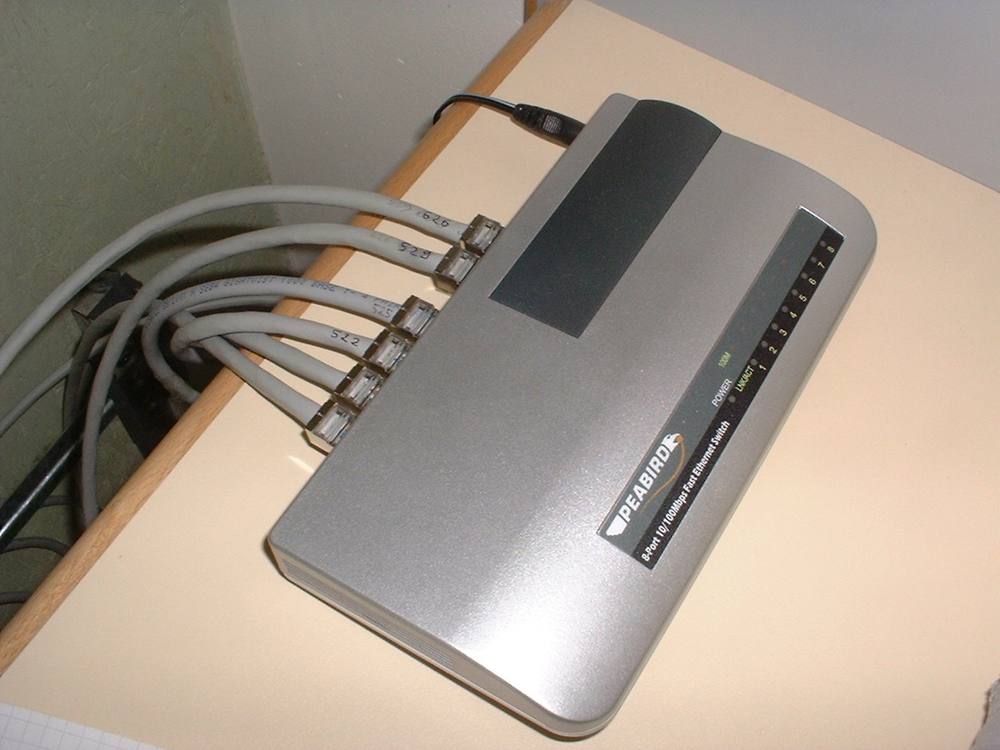 Image: Syced · CC0 · Source · Wikimedia Commons: Peabird Ethernet switch in 2003
Where the time goes
100%Figure SDA-CORE-01-1 · A latency budget for one page · © forcsguy.com
Tail latency
Averages hide the worst experiences. If 1% of requests take 3 seconds, a page that makes 50 calls will hit one of those slow calls most of the time. Track percentiles (p95, p99), and design to keep the slowest requests under control with timeouts and hedged requests.
Latency budget
Break a target (say 300 ms for a page) into a budget: network 80 ms, application 60 ms, database 50 ms, rendering 80 ms, slack 30 ms. When the total exceeds the target you know where to cut.
Real-world reading
Related reading
- Optimizing Web Servers for High Throughput and Low Latency at DropboxDropbox engineers · DropboxCase Studies
- Natural Language Processing and Content Analysis (2 parts) at Condé NastCondé Nast engineers · Condé NastCase Studies
- Finding Kafka throughput limit in infrastructure at DropboxDropbox engineers · DropboxCase Studies
- Scaling Gradient Boosted Trees for Click-Through-Rate Prediction at YelpYelp engineers · YelpCase Studies
Show 6 moreShow fewer
- Machine Learning (2 parts) at Condé NastCondé Nast engineers · Condé NastCase Studies
- DataSift Architecture: Realtime Datamining at 120,000 Tweets Per Second - High Scalability -High Scalability engineers · High ScalabilityCase Studies
- Deploying Brotli for Static Content at DropboxDropbox engineers · DropboxCase Studies
- How Twitter Handles 3,000 Images Per Second - High Scalability -High Scalability engineers · High ScalabilityCase Studies
- ESPN's Architecture at Scale - Operating at 100,000 Duh Nuh Nuhs Per Second - High Scalability -High Scalability engineers · High ScalabilityCase Studies
- Architecture NotesArchitecture Notes · architecturenotes.coPodcasts & Newsletters
Go deeper on this
A path through videos, articles, other case studies and code on the same ideas as Deploying Brotli for Static Content at Dropbox.
Warm upGet the vocabulary first.
Books · Free from the author
Software Engineering at Google
How Google manages code, tests, builds and large teams over decades; free to read online.
O'Reilly / GoogleIntermediate
Documentation
Chaos Monkey
The tool that randomly terminates instances in production to prove services survive failures.
NetflixIntermediate
WatchHow others solve the same problem, on video.
Videos belong to their creators and play from YouTube. More on YouTube (opens in a new tab)
ReadEngineers explain it in their own words.
Blogs
Atlassian Engineering
How Atlassian builds and runs its cloud products at scale.
AtlassianIntermediate
Blogs
AWS DevOps Blog
AWS CodeDeploy now offers a purpose-built RESTART deployment mode that reapplies the last successful revision to EC2 and on-premises fleets. It keeps restarts inside CodeDeploy with the same batch sizing, health check...
Amazon Web ServicesIntermediate
See it in another companyThe same ideas, a different system.
Case Studies · Read here
CI/CD at Betterment
As we improve and scale our CD platform, shortening the feedback loop with notifications was a small, effective, and important piece.
BettermentIntermediate
Case Studies · Read here
Continuous Integration and Deployment with Bazel at Dropbox
Dropbox server-side software lives in a large monorepo. One lesson we’ve learned scaling the monorepo is to minimize the number of global operations that operate on the repository as a whole. Years ago, it was reasona...
DropboxIntermediate
Read the codeSee how it looks when it is real.
GitHub
gh-ost: GitHub's online schema migration tool for MySQL
Triggerless online schema changes by copying rows and tailing the binary log.
GitHubAdvanced
Keep learning
Loading community…