Why SSDs are fast, and block, file and object storage
How flash storage differs from spinning disks, and which kind of storage fits which job.
On the roadmap:Advanced · step 3: Storage engines
Lesson 10 of 18 · 9 min read · quiz · exercise
Hard disks versus SSDs
A hard disk drive (HDD) stores data on spinning magnetic platters. To read data the head must move (seek) to the right track and wait for the platter to rotate: about 10 milliseconds per random access. Reading sequentially is much faster, because the head stays put.
A solid-state drive (SSD) stores data in NAND flash chips. There is nothing to move, so a random read takes about 0.1 milliseconds, roughly 100 times faster.
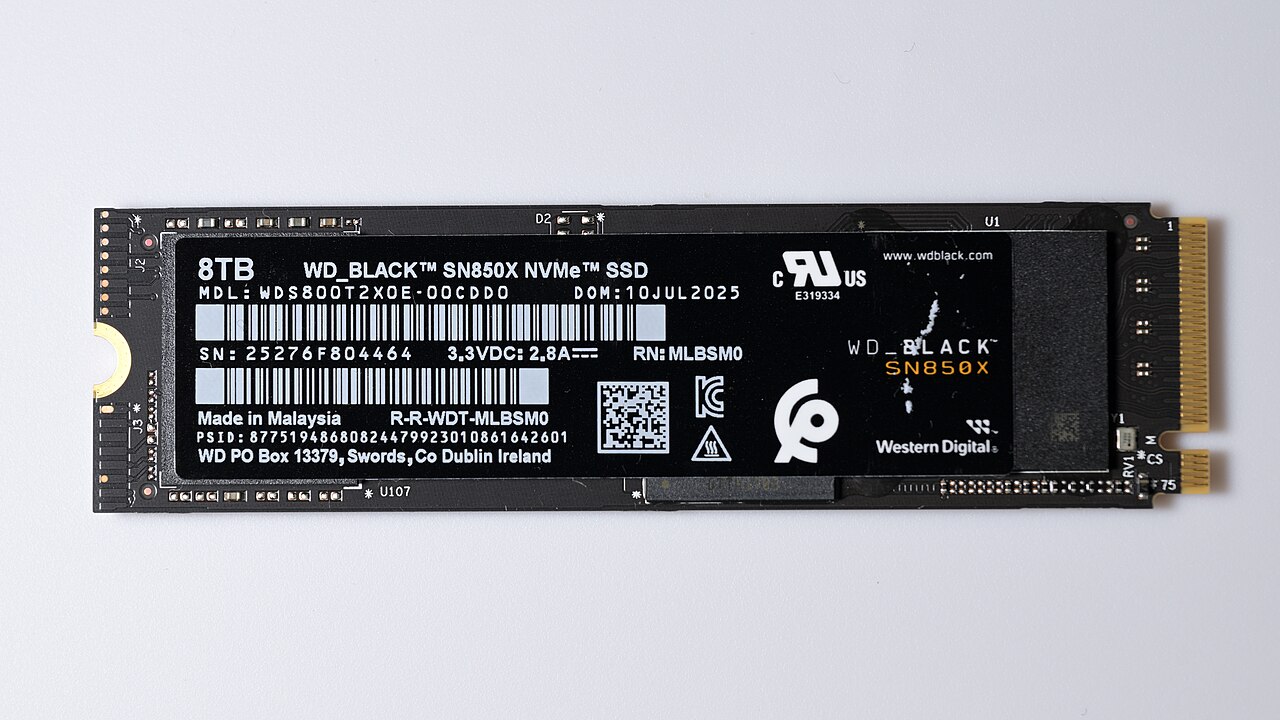 Image: 4300streetcar · CC BY 4.0 · Source · Wikimedia Commons: Western Digital SN850X NVME solid state drive 8TB front side
Why flash is fast
- No mechanical delay: reads are electrical.
- Parallelism: a controller spreads data across many flash chips and channels and reads from several at once.
- Fast interface: NVMe drives talk over PCIe with many queues, instead of the older SATA interface built for spinning disks.
How flash works (and its quirks)
- Flash is organised in pages (the smallest unit you read or write, a few KB) grouped into blocks.
- You can write a page only if it is empty, and you can only erase a whole block at once.
- So an update is written to a new place and the old page is marked stale. The controller's flash translation layer (FTL) keeps a map from logical to physical addresses.
- Later, garbage collection moves live pages and erases blocks to reclaim space. This extra internal writing is write amplification.
- Cells wear out after a limited number of erase cycles, so the controller spreads writes evenly (wear levelling). Drives are rated for endurance.
- The TRIM command tells the drive which blocks the operating system no longer uses, so it can clean up in advance.
Design consequence: SSDs love many small random reads, but heavy random writes and very full drives cost performance and lifetime. Log-structured storage engines, which write sequentially, suit them well.
Figure SDA-RWS-10-1 · Inside an SSD · © forcsguy.com
Three kinds of storage service
| Block | File | Object | |
|---|---|---|---|
| What you get | A raw volume of fixed-size blocks | A shared folder tree | A flat bucket of objects found by key |
| Access | Attached to one server, which formats it | Mounted by many servers (NFS, SMB) | HTTP API (GET, PUT, DELETE) |
| Latency | Lowest | Low | Higher |
| Scale | Per volume | Moderate | Practically unlimited |
| Edit in place | Yes | Yes | No: replace the whole object |
| Cost | Highest | Medium | Lowest |
| Use for | Databases, boot disks | Shared content, home directories | Images, video, backups, logs, data lakes |
Figure SDA-RWS-10-2 · Choosing a storage type · © forcsguy.com
Figure SDA-RWS-10-3 · What each storage type looks like · © forcsguy.com
Figure SDA-RWS-10-4 · How an object store is built · © forcsguy.com
How each type is reached
Block storage is a raw volume owned by one server, attached directly or over a storage network (Fibre Channel, iSCSI); the server formats it or hands it to a database. File storage sits on top of block storage and is shared over file protocols such as NFS and SMB. Object storage is a flat namespace of objects reached through an HTTP API, trading speed for scale, cost and durability.
Practical guidance
- Put databases on block storage (SSD-backed for performance).
- Put user uploads, media and backups in object storage, serve them through a CDN, and keep only the object's key in your database.
- Use file storage only when software truly needs a shared file system.
- Object stores give durability through replication or erasure coding (see the Core Concepts course), and offer storage classes: hot, infrequent access and archive, with lower cost and slower access.
- Always back up. Replication protects against hardware failure, not against deleting the wrong thing.
Real-world reading
Related reading
- Cockroach Labs BlogCockroach Labs engineers · Cockroach LabsBlogs
- AWS Database BlogAWS database teams · Amazon Web ServicesBlogs
- Minimizing Read-Write MySQL Downtime at YelpYelp engineers · YelpCase Studies
- Fivetran BlogFivetran engineers · FivetranBlogs
Show 6 moreShow fewer
- PlanetScale BlogPlanetScale engineers · PlanetScaleBlogs
- ClickHouse BlogClickHouse engineers · ClickHouseBlogs
- Elastic BlogElastic engineers · ElasticBlogs
- Google Research BlogGoogle researchers · GoogleBlogs
- RisingStack Engineering BlogRisingStack engineers · RisingStackBlogs
- SitePoint Engineering BlogSitePoint engineers · SitePointBlogs
Check your understanding
Question 1 of 3
0 correct so far
Why are SSDs so much faster than hard disks for random reads?
Go deeper
- Designing Data-Intensive Applications, chapter 3 by Martin Kleppmann: how storage engines use disks
Practise it: Pick the right store for the data
Everything below is already set up for this lesson: change the design, run the traffic, and see whether you meet the goal.
- 1The task
- 2Build and test
Half of 600 requests per second are large objects. The database was never meant to hold them.
Goal: Under 1% errors, database below 50% busy.
Different data wants different storage: small records for a database, large blobs for object storage.
Try it yourself
Choose block, file or object storage for each: (a) the data directory of a PostgreSQL server, (b) a shared folder that many application servers mount and edit, (c) user-uploaded videos and backups.
Click what a strong design here would need:
More in Real systems
© 2026 forcsguy.com. Original lesson text and diagrams. Books and sites linked above belong to their authors.