Library / Case Studies
Search Engine at DoorDash
DoorDash builds an in-house search engine on top of Lucene to support growing search needs.
By DoorDash engineers · DoorDash · Added 2026-10-12
All content belongs to DoorDash engineers / DoorDash. We only link to it and give credit. Report a problem
Learn this case study
About 37 min left. Your work is saved as you go.
What you are about to study
DoorDash explains a real system. You should know the basics: caching, queues and replication.
Ideas you will meet
- Distributed Systems
- Consensus, time, failure and the fundamentals of scale-out.
- Search
- Inverted indexes, relevance, autocomplete and search engines.
What we already know about this
Our own lessons on these ideas. Read them here before you start, so it makes sense.
Big Data and Cloud Data Platforms · 11 minHow big data evolved, and the papers behind itFrom single databases to Hadoop, Spark, streaming and lakehouses: a timeline of ideas and the research papers that started each one.Read here
Why a new wave kept appearing
Each generation of data tools answered a limit of the previous one. Understanding the problem behind each wave makes the tools easier to place.
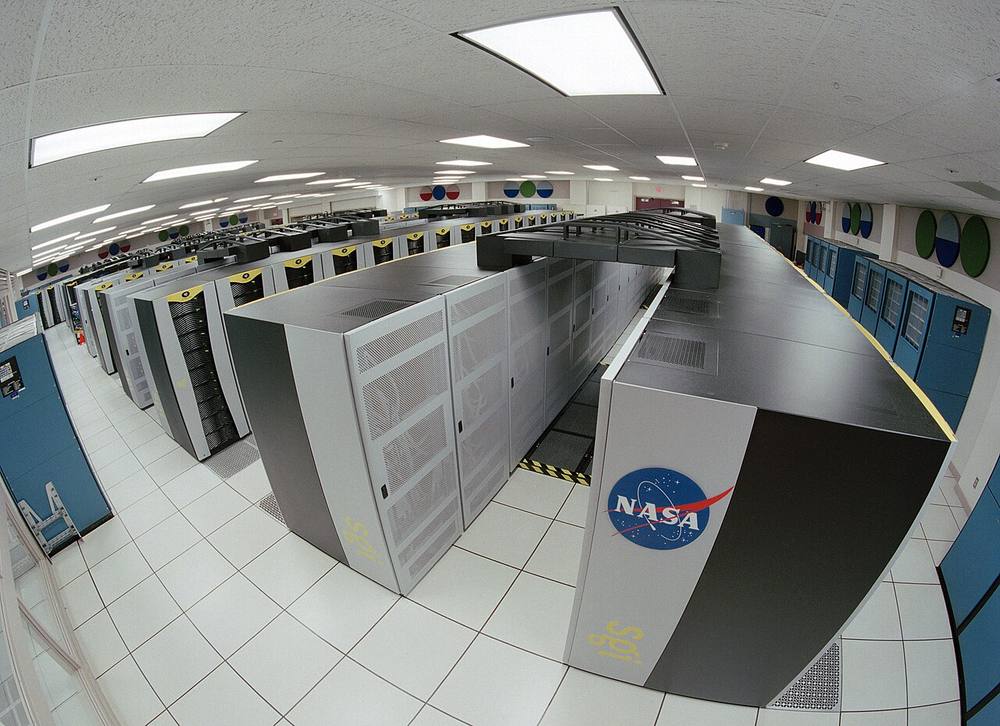 Image: Trower, NASA · Public domain · Source · Wikimedia Commons: Columbia Supercomputer - NASA Advanced Supercomputing Facility
A timeline
100%Figure SDA-BDP-01-1 · A timeline · © forcsguy.com
1. Before: relational databases and data warehouses
Data fit on one big server. SQL and data warehouses served reports. Limits: scaling up got very expensive, and unstructured data (web logs, clicks) did not fit neatly.
2. Web scale (around 2003 to 2006)
Search companies had far more data than any single machine could hold. Google described how it coped, and open-source projects copied the ideas.
- GFS (Google File System): a distributed file system on commodity machines that expects failures.
- MapReduce: a model to process huge datasets in parallel.
- Hadoop (HDFS plus MapReduce) brought both to everyone.
3. NoSQL (about 2006 to 2010)
Web applications needed massive scale and high availability that relational systems struggled to give.
- Bigtable: a sparse, sorted, wide-column store; inspired HBase and Cassandra's data model.
- Dynamo: an always-writable key-value store with consistent hashing and eventual consistency; inspired Cassandra, Riak and DynamoDB.
4. Faster and friendlier processing (2010 onward)
- Dremel: interactive SQL over huge datasets using columnar storage and tree-shaped execution; the idea behind BigQuery and later engines, and the Parquet format.
- Spark (resilient distributed datasets): keeps data in memory between steps, much faster than disk-based MapReduce for iterative work, with friendly APIs.
5. Streaming
Waiting for nightly batches was too slow. Kafka made a durable, replayable log the backbone of event pipelines, and engines such as Flink and the Dataflow model handled continuous computation with proper treatment of event time, windows and late data.
6. The cloud
Cloud providers separated storage (cheap object storage) from compute (elastic clusters or serverless queries). Managed warehouses (BigQuery, Redshift, Snowflake and others) removed cluster management.
7. The lakehouse
Data lakes were cheap but unreliable (no transactions, messy files). Table formats (Delta Lake, Apache Iceberg, Apache Hudi) add ACID transactions, schema evolution and time travel on top of files in object storage, so one copy of data can serve both analytics and machine learning.
100%Figure SDA-BDP-01-2 · Key dates, in order · © forcsguy.com
The classic papers
These are the research papers most often cited. Search the title to find each; most are freely available.
Paper Authors (and year) The idea The Google File System Ghemawat, Gobioff, Leung (2003) Large-file storage across commodity machines, built to tolerate failures MapReduce: Simplified Data Processing on Large Clusters Dean, Ghemawat (2004) A simple map and reduce model with automatic parallelism and fault tolerance Bigtable: A Distributed Storage System for Structured Data Chang and others (2006) A sorted, sparse, multi-dimensional map for structured data at scale Dynamo: Amazon's Highly Available Key-value Store DeCandia and others (2007) Consistent hashing, quorums, vector clocks and eventual consistency Dremel: Interactive Analysis of Web-Scale Datasets Melnik and others (2010) Columnar nested data and tree execution for fast SQL Kafka: a Distributed Messaging System for Log Processing Kreps, Narkhede, Rao (2011) A partitioned, replicated log as the backbone for event data Resilient Distributed Datasets (Spark) Zaharia and others (2012) In-memory, fault-tolerant parallel computing Spanner: Google's Globally-Distributed Database Corbett and others (2012) Strongly consistent, globally distributed SQL using synchronised clocks The Dataflow Model Akidau and others (2015) A unified model for batch and streaming with event time and windows Delta Lake: High-Performance ACID Table Storage over Cloud Object Stores Armbrust and others (2020) Transactional tables on object storage: the lakehouse idea A good companion is Jay Kreps's essay "The Log: What every software engineer should know about real-time data's unifying abstraction" (2013).
What to take away
- Scale-out on cheap machines (GFS, MapReduce) made big data practical.
- Availability versus consistency choices (Dynamo, Bigtable, Spanner) shaped databases.
- Columnar storage (Dremel, Parquet) made analytics fast.
- Logs and streams (Kafka, dataflow) made data continuous.
- Separating storage from compute and open table formats define today's platforms.
Real-world reading
Related reading
- Dremel: Interactive Analysis of Web-Scale Datasets (paper)Melnik et al. · GooglePapers
- Cassandra architecture overviewApache Cassandra · Apache Software FoundationDocumentation
- Fast Order Search using Data Pipeline and Elasticsearch at YelpYelp engineers · YelpCase Studies
- Apache CassandraApache Software Foundation · GitHubGitHub
Show 6 moreShow fewer
- Amazon S3 strong consistencyAmazon Web ServicesDocumentation
- Sherpa: Distributed NoSQL Key-Value Store at YahooYahoo engineers · YahooCase Studies
- Elasticsearch GuideElasticDocumentation
- MapReduce: Simplified Data Processing on Large Clusters (paper)Dean and Ghemawat · GooglePapers
- HBase at SalesforceSalesforce engineers · SalesforceCase Studies
- Columnar DatabasesAmazon Web Services engineers · Amazon Web ServicesCase Studies
Search, Analytics and Geo · 11 minSharding a search index: scatter, gather and mergeHow a search index is split across machines, why queries fan out to every shard, how top-k results are merged, and what goes wrong with deep paging and uneven shards.Read here
Why shard
One machine cannot hold or search a very large index within the latency budget. Sharding splits the index into pieces, each on its own machine, so storage and work are spread out. Replicas copy each shard for availability and extra read capacity.
Before: one big index
100%After: sharded, scatter and gather
100%What changed
- Storage and work are spread over machines
- Each shard returns its own top results to be merged
- The slowest shard decides how fast the query is
Two ways to partition
- Document-partitioned (local index): each shard indexes a subset of the documents and holds a complete inverted index for them. Writes touch one shard. Every query must visit every shard. This is what Elasticsearch and Solr do.
- Term-partitioned (global index): each shard holds the postings for a subset of terms. A query touches only the shards for its terms, but a write touches many shards and long posting lists must be combined across machines. It is rare in practice.
100%Figure SDA-SAG-05-1 · Scatter, gather and merge · © forcsguy.com
Decisions that matter
- Shard size and count. Too many tiny shards waste memory and add fan-out; too few huge shards recover slowly and cannot spread load. Many teams aim for tens of gigabytes per shard. The primary shard count is hard to change later, so plan for growth or use time-based indexes.
- Routing. By default a document goes to a shard by hashing its id, which spreads data evenly. Routing by tenant or user keeps one customer's data together so queries can hit a single shard, at the risk of uneven shards.
- Tail latency. A query is as slow as its slowest shard. Use replicas, timeouts, and hedged requests (send to a second replica if the first is slow).
- Deep pagination. Page N needs the first N x pageSize results from every shard. Use cursors (search-after) instead of large offsets.
- Scoring across shards. Each shard computes statistics such as IDF from its own documents. Even, large shards make the difference small; otherwise gather global statistics first.
- Rebalancing and reindexing. Plan how to add capacity without downtime, usually by indexing into a new index and switching an alias.
100%Figure SDA-SAG-05-2 · Time-based indexes · © forcsguy.com
Keeping the index fresh
Documents usually live in a primary database and are copied to the search index. Use a change stream or an outbox so updates are not lost, accept that search is eventually consistent, and keep a way to rebuild the whole index from the source of truth.
Real-world reading
Related reading
Search, Analytics and Geo · 10 minNearby search with Redis GEOHow Redis stores locations in a sorted set using geohash scores, how GEOSEARCH finds nearby members, how to expire stale entries, and when to move to a spatial database.Read here
The problem
"Show the nearest available drivers", "stores within 3 km", "friends nearby". The data is a large set of points that change often, and the question is always about a small neighbourhood. You want a fast, in-memory structure.
How Redis does it
Redis stores locations in an ordinary sorted set. Each member (a driver id) has a score that is a 52-bit geohash of its longitude and latitude. Geohash interleaves the bits of the two coordinates so that nearby places have nearby scores. A search turns a radius into a few score ranges, reads those ranges, then filters by exact distance.
100%Figure SDA-SAG-09-1 · A nearby query in Redis · © forcsguy.com
Typical commands:
GEOADD drivers:blr 77.5946 12.9716 driver:42
GEOSEARCH drivers:blr FROMLONLAT 77.60 12.97 BYRADIUS 2 km ASC COUNT 20 WITHDIST
Design details
- Partition the key. One sorted set for the whole planet is a hot spot and slow to search. Use a key per city, region or grid cell so each set is small and local, and shard keys across nodes.
- Updates are cheap. Moving a member is another GEOADD, about O(log n). 75,000 updates per second is manageable on a few nodes.
- Freshness. Sorted set members have no individual expiry. Keep a second sorted set
lastseenwith the update time as score, and run a job that removes members older than, say, 30 seconds from both sets. - Availability filter. Store only drivers who are available, or look up status after the search; keep the hot set small.
- Accuracy. Redis uses a spherical model of the Earth, so distances can be off by a fraction of a percent, and results near a cell boundary rely on the exact filter. That is fine for "within 2 km", not for surveying.
- Durability. Treat Redis as a rebuildable copy. The system of record is a database, and clients re-send their location every few seconds anyway.
100%Figure SDA-SAG-09-2 · Keeping the hot set fresh · © forcsguy.com
When Redis GEO is not enough
Move to a spatial database such as PostGIS, or a purpose-built index, when you need polygons and fences, joins with other tables, constraints (opening hours, vehicle type) together with distance, or durable queries over history. Many systems combine them: a database for rich queries and Redis for the live, hot position data.
Other grid systems are covered in the geofencing lesson and in the real-world reading: H3 (hexagons, good for aggregation and neighbours) and S2 (cells on a sphere).
Real-world reading
Go deeper on this
A path through videos, articles, other case studies and code on the same ideas as Search Engine at DoorDash.
Warm upGet the vocabulary first.
Documentation
Elasticsearch: scalability and resilience
How clusters, nodes, shards and replicas work and how to plan shard counts.
ElasticIntermediate
Documentation
SolrCloud: shards and indexing data
How SolrCloud splits a collection into shards, routes documents and handles replicas.
Apache Software FoundationIntermediate
WatchHow others solve the same problem, on video.
Videos belong to their creators and play from YouTube. More on YouTube (opens in a new tab)
ReadEngineers explain it in their own words.
Papers
Distributed Searching
A real-world engineering write-up from Washington on distributed Searching.
WashingtonIntermediate
Papers
Search Architecture at eBay
A real-world engineering write-up from Ac on distributed Searching.
AcIntermediate
See it in another companyThe same ideas, a different system.
Case Studies · Read here
Aroma: Using ML for Code Recommendation at Facebook
Thousands of engineers write the code to create our apps, which serve billions of people worldwide. This is no trivial task—our services have grown so diverse and complex that the codebase contains…
FacebookIntermediate
Case Studies · Read here
Cross-Lingual End-to-End Product Search with Deep Learning at Zalando
How We Built the Next Generation Product Search from Scratch using a Deep Neural Network
ZalandoIntermediate
Read the codeSee how it looks when it is real.
GitHub
Engineering Blogs
A huge directory of company engineering blogs to learn from real production systems.
kilimchoiIntermediate
GitHub
Awesome Scalability
Curated reading list of articles on the architecture of scalable, reliable systems.
binhnguyennusIntermediate
Keep learning
Loading community…