Library / Blogs
Google SRE Book: Handling Overload
Client-side throttling, per-client quotas and criticality levels for staying up when demand exceeds capacity.
By Google SRE team · Google · Added 2026-10-12
All content belongs to Google SRE team / Google. We only link to it and give credit. Report a problem
Learn this article
About 37 min left. Your work is saved as you go.
What you are about to study
Google wrote this to explain how they thought about a problem. It assumes you are comfortable with distributed systems.
Ideas you will meet
- Resilience
- Timeouts, retries, circuit breakers, bulkheads and load shedding.
- Rate Limiting
- Token bucket, leaky bucket and sliding-window limiters.
- Load Balancer
- Spread traffic across servers with L4/L7 balancing, health checks and algorithms.
What we already know about this
Our own lessons on these ideas. Read them here before you start, so it makes sense.
System Design Foundations · 12 minDesigning for failure: reliabilityTimeouts, retries, circuit breakers, rate limiting and redundancy: how systems stay up when parts of them break.Read here
Failure is normal
At scale something is always broken: a disk, a network link, a deployment, a dependency having a bad day. Reliable systems do not avoid failure, they expect it and contain it.
Two words to keep apart:
- Availability: the fraction of time the system works (99.9% allows about 8.8 hours of downtime a year; 99.99% about 53 minutes).
- Durability: the chance stored data is not lost.
Remove single points of failure
A single point of failure (SPOF) is any component whose failure takes everything down. Hunt for them:
- Run several application servers behind a load balancer.
- Replicate databases and plan failover (lesson 5).
- Spread across availability zones, and for the most critical services, across regions.
- Do not forget the "invisible" ones: the load balancer, DNS, a certificate that expires, a single queue.
100%Figure SDA-FND-10-1 · Removing single points of failure tier by tier · © forcsguy.com
Protect calls between services
Most outages spread through calls between components. Four basic defences:
1. Timeouts
Every network call needs a timeout. Without it a slow dependency holds your threads hostage. Set timeouts based on what a healthy call looks like (for example a little above the 99th percentile), and make inner timeouts shorter than outer ones.
2. Retries, carefully
Transient errors often succeed on a second try. But retries multiply load on a struggling service, so:
- Retry only idempotent operations or those with an idempotency key (lesson 8).
- Use exponential backoff with jitter.
- Cap the number of attempts, and ideally cap the share of traffic that can be retries.
3. Circuit breakers
If a dependency keeps failing, stop calling it for a short time and fail fast.
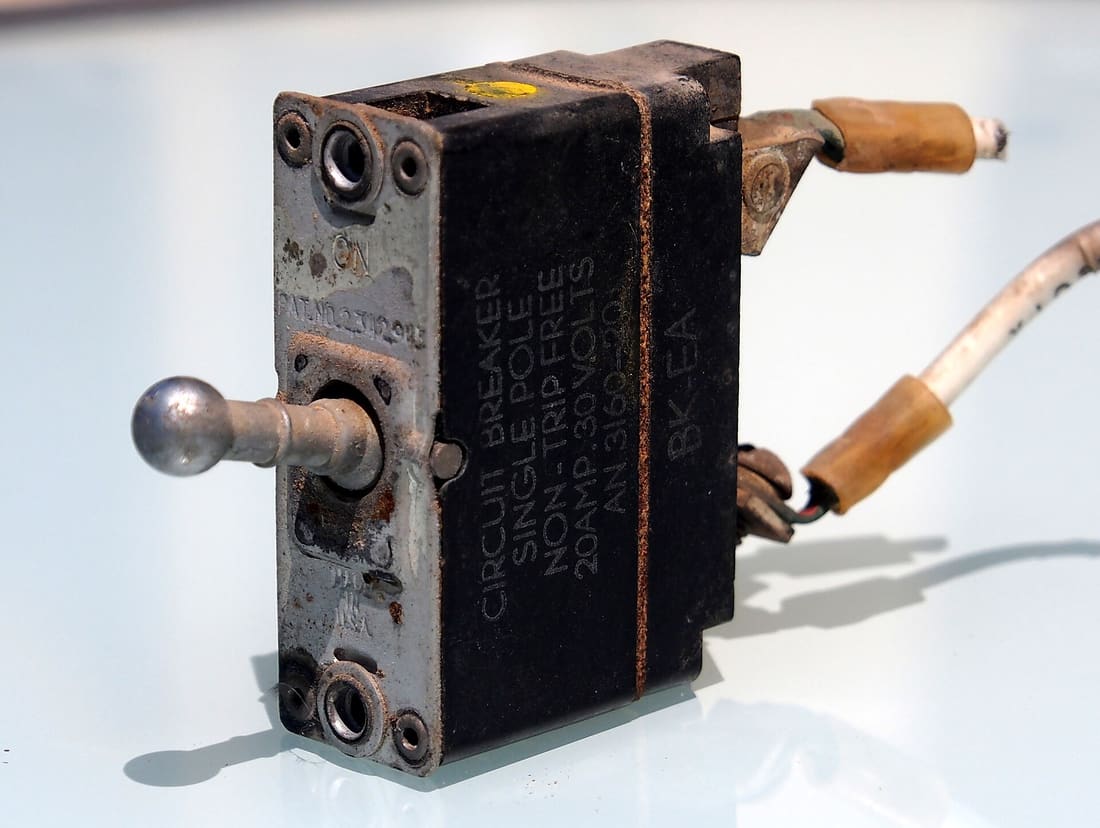 Image: Alf van Beem · CC0 · Source · Wikimedia Commons: Circuit breaker, Single pole, Non-tripfree, 20Amp-30Volts, AN 3160 pic1100%
Figure SDA-FND-10-2 · Circuit breaker states · © forcsguy.com
- Closed: normal operation, failures are counted.
- Open: calls fail immediately, saving resources.
- Half-open: a few trial calls check whether the dependency has recovered.
4. Bulkheads
Give each dependency its own pool of threads or connections, like watertight compartments in a ship, so one slow dependency cannot use up everything.
Before: a slow dependency drags everyone down
100%After: a breaker cuts the slow dependency off
100%What changed
- Callers stop waiting on a failing service
- Threads and connections are not used up
- A fallback answer is returned while the service recovers
Protect yourself from too much traffic
- Rate limiting caps how many requests a client may make (common algorithms: token bucket, sliding window). It protects against abuse and accidental floods.
- Load shedding: when overloaded, deliberately reject low-priority work early so important requests still succeed. It is better to serve 80% of requests well than 100% badly.
- Back pressure: tell producers to slow down instead of letting queues grow without bound.
Degrade gracefully
When a non-critical part fails, keep the rest working: show the page without recommendations, serve cached prices, queue the email. Decide in advance which features are essential.
Practise failure
- Health checks so traffic leaves broken instances.
- Chaos testing: deliberately kill instances in a controlled way to prove the system copes.
- Runbooks and game days so people have rehearsed the response.
A worked example: the arithmetic of availability
Downtime in a month. 99% allows about 7.3 hours; 99.9% about 43 minutes; 99.99% about 4.4 minutes; 99.999% about 26 seconds. Each extra nine is ten times harder and usually much more expensive, so choose the target your users need, not the biggest number.
Dependencies in series multiply. If a request needs three services, each 99.9% available, the request is available only 0.999 x 0.999 x 0.999 = 99.7%, about 2 hours 11 minutes of downtime a month. The more things in the critical path, the worse it gets, which is why teams shorten the critical path and make non-essential calls optional.
Redundancy in parallel helps. Two independent replicas, each 99% available, are both down only 1% x 1% = 0.01% of the time: 99.99% together. The word "independent" carries all the weight: replicas that share a rack, a deploy, a bug or a dependency fail together, and the formula no longer applies.
Retries multiply load. If every one of 1,000 requests per second fails and each caller retries 3 times, the failing service sees up to 4,000 requests per second, making recovery harder. And if three layers each retry 3 times, one user request can become 64 attempts at the bottom. Retries need limits, backoff with jitter, and a retry budget (for example, retries may be at most 10% of normal traffic).
100%Figure SDA-FND-10-3 · How availability combines · © forcsguy.com
Anatomy of a cascading failure
The classic outage is rarely one failure; it is one failure that spreads.
- A database gets slow (a bad query, a noisy neighbour). Responses that took 10 ms now take 5 seconds.
- App servers wait on it. Each request holds a thread for 5 seconds, so threads and connections fill up.
- The app can no longer accept new requests, even ones that do not need the database. The load balancer sees timeouts and marks servers unhealthy, so the same traffic lands on fewer servers.
- Callers time out and retry, which adds load to the already struggling system.
- Everything is down, and fixing the original slow query no longer brings it back, because the retry storm keeps it overloaded.
The defences are cheap compared with the outage:
- Timeouts on every call, shorter than the caller's own timeout.
- Circuit breakers that stop calling a failing dependency for a while and fail fast.
- Bulkheads: separate thread or connection pools per dependency, so one slow one cannot use all of them.
- Load shedding: when overloaded, reject some requests early to keep serving the rest.
- Backoff with jitter and retry budgets.
100%Figure SDA-FND-10-4 · A circuit breaker protects both sides · © forcsguy.com
Mistakes people make
- No timeouts, or timeouts longer than the caller's. The default in many libraries is "wait forever" or minutes.
- Retrying everything everywhere. Retry only safe, idempotent operations, at one layer, with backoff, jitter and a budget.
- Health checks that lie. A server that answers
/healthbut cannot reach its database should fail the check. - Untested failover. Failover that has never run is a guess. Practise it on purpose, in business hours.
- Shared fate. Two "redundant" systems in one zone, on one deploy pipeline, or on one dependency are one system.
- No graceful degradation. Decide in advance which features can be switched off (recommendations, images, analytics) to protect the critical path.
Try it yourself
In the System Builder, lose three servers at peak and find how much spare capacity you need. Read the resilience patterns lesson for circuit breakers and bulkheads in more depth, and build the lease leader election lab to see failover without split brain.
More on this site
Related reading
- Timeouts, retries, and backoff with jitterAmazon Builders' Library · Amazon Web ServicesBlogs
- Using load shedding to avoid overloadAmazon Builders' Library · Amazon Web ServicesBlogs
- Maglev: A Fast and Reliable Software Network Load Balancer (paper)Eisenbud et al. · GooglePapers
- Designing robust and predictable APIs with idempotencyBrandur Leach · StripeBlogs
Show 6 moreShow fewer
- Circuit BreakerMartin FowlerBlogs
- Circuit Breaker patternMicrosoft · Microsoft AzureDocumentation
- Google SRE Book: Addressing Cascading FailuresGoogle SRE team · GoogleBlogs
- Google SRE Book: Handling OverloadGoogle SRE team · GoogleBlogs
- Testing for Disaster Recovery Failover TestingUSENIX engineers · USENIXCase Studies
- Improved Production Stability with Circuit Breakers at HerokuHeroku engineers · HerokuCase Studies
Advanced Distributed Systems · 13 minResilience: timeouts, retries, bulkheads, backpressure and circuit breakersHow to stop one slow or failing dependency from taking everything down: the patterns, how they fit together and where each one goes wrong.Read here
The core problem
In a system of many services, slowness is more dangerous than failure. A dependency that fails fast is easy to handle. One that responds in 30 seconds makes callers hold threads, connections and memory until they too stop responding: a cascading failure. Resilience patterns limit how far a problem can spread.
The toolbox
100%Figure SDA-ADS-06-1 · Resilience layers around a call · © forcsguy.com
Timeouts
Every network call needs a timeout, including connect, read and overall. Pick from measured latency (for example slightly above the 99th percentile), not a guess, and make the caller's budget smaller than its own caller's so work is abandoned in an orderly way. Propagate deadlines across calls.
Retries
Retry only transient failures and only idempotent operations (or use idempotency keys). Use exponential backoff with jitter (random spread) so clients do not retry in lockstep, cap the attempts, and apply a retry budget (for example no more than 10 percent extra traffic). Retry at one layer, not at every layer, or attempts multiply.
Circuit breaker
A breaker watches failures or slow calls. Closed: normal. After too many failures it opens: calls fail immediately (or use the fallback) so the dependency can recover and callers stop wasting resources. After a cool-down it goes half-open: a few trial calls decide whether to close again.
100%Figure SDA-ADS-06-2 · Circuit breaker states · © forcsguy.com
Bulkheads
Partition resources so one dependency cannot consume them all: separate thread pools or connection pools per dependency, separate queues per tenant or per priority, or separate instances for critical paths. A slow recommendation service then cannot starve checkout.
Backpressure and load shedding
If producers outpace consumers, work piles up. Without limits the buffer grows until memory is exhausted or latency becomes huge. Options:
- Bounded queues that reject or block when full.
- Signalling upstream to slow down (credit-based flow in streaming systems, TCP windows, reactive streams).
- Load shedding: deliberately drop low-priority work early (return 429 or 503 quickly) to protect the rest.
- Rate limiting at the edge (see the rate-limiter lesson).
Failing fast and visibly under overload is better than accepting everything and failing slowly.
Fallbacks and graceful degradation
Return something useful when a dependency fails: cached data, a default, a simpler algorithm, or hide a non-essential section. Decide which features are essential before an incident, and test the degraded mode.
How they interact
- A timeout is the minimum; without it nothing else works.
- Retries inside a breaker inside a bulkhead is the usual nesting.
- Everything needs metrics: breaker state, rejected calls, queue depth, timeout counts. Alert on them.
- Test it: inject latency and failures (chaos experiments) to confirm the patterns work before production does it for you.
Common mistakes
Retries with no backoff; timeouts longer than the caller's; unbounded queues; a shared thread pool for everything; breakers that never close; fallbacks that call the same failing service; and testing only the happy path.
Real-world reading
Related reading
- Timeouts, retries, and backoff with jitterAmazon Builders' Library · Amazon Web ServicesBlogs
- Using load shedding to avoid overloadAmazon Builders' Library · Amazon Web ServicesBlogs
- Circuit BreakerMartin FowlerBlogs
- Circuit Breaker patternMicrosoft · Microsoft AzureDocumentation
Show 6 moreShow fewer
- Google SRE Book: Addressing Cascading FailuresGoogle SRE team · GoogleBlogs
- Chaos Monkey (source)Netflix · GitHubGitHub
- Bulkheads: Partition and Tolerate Failure in One PartSkife engineers · SkifeCase Studies
- Protector: Circuit Breaker for Time Series Databases at TrivagoTrivago engineers · TrivagoCase Studies
- Autoscaling Jenkins at TrivagoTrivago engineers · TrivagoCase Studies
- Troubleshooting a Connection Timeout Issue with tcp_tw_recycle Enabled at eBayeBay engineers · eBayCase Studies
System Design Foundations · 10 minFrom one server to many: scaling and load balancingVertical versus horizontal scaling, why stateless servers matter, and how a load balancer spreads traffic.Read here
Two ways to grow
When one server is not enough you have two options.
 Image: Derrick Coetzee · CC0 · Source · Wikimedia Commons: Technician with laptop working on server rack at NERSC
- Vertical scaling ("scale up"): use a bigger machine with more CPU, memory or disk. It is simple because nothing in the design changes.
- Horizontal scaling ("scale out"): add more machines and share the work between them. It needs more design effort but has no hard ceiling.
Vertical Horizontal Effort Low Higher Ceiling Hardware limit Practically none Failure One machine is a single point of failure Survives losing a machine Cost curve Gets steep for the largest machines Roughly linear with commodity machines Real systems use both: scale up until it gets expensive or risky, then scale out.
100%Figure SDA-FND-02-1 · Scale up versus scale out · © forcsguy.com
What a load balancer does
Once you have several servers, something must decide which one handles each request. That is the load balancer.
100%Figure SDA-FND-02-2 · Load balancer in front of a server pool · © forcsguy.com
It does three jobs:
- Distributes requests so no server is overloaded.
- Checks health. It probes each server regularly and stops sending traffic to ones that fail.
- Hides the pool. Clients talk to one address, and servers can be added or removed without clients noticing.
Common strategies
- Round robin: take turns. Simple and fine when requests are similar.
- Least connections: send to the server with the fewest active requests. Better when request cost varies.
- Hashing (for example on user id or IP): the same key goes to the same server. Useful when a server keeps a local cache for that key.
- Weighted: bigger machines get a bigger share.
Load balancers work at different layers. A layer 4 balancer routes by IP and port and is very fast. A layer 7 balancer reads the HTTP request, so it can route by URL path or header and terminate TLS.
A security benefit comes with this layout: only the balancer needs a public address. The servers behind it use private addresses, reachable from inside the network but not from the internet, so clients cannot bypass the balancer or attack a server directly. If one server goes offline, the balancer sends its traffic to the others and a replacement can join the pool.
Before: one server
100%After: load balancer and several servers
100%What changed
- Traffic is shared across servers
- One server failing no longer takes the site down
- You can add capacity without downtime
Stateless servers make scaling easy
A server is stateless when it keeps nothing about a user between requests. Everything it needs comes from the request or from a shared store.
100%Figure SDA-FND-02-3 · Stateful versus stateless servers · © forcsguy.com
With stateless servers any request can go to any server, so you can add servers at will, replace a failed one without losing data, and run auto-scaling. The state does not disappear. It moves to a database, a cache or a session store, which you then have to scale and protect, which is what the next lessons are about.
Putting it together
A typical first scalable layout:
- Users reach a load balancer.
- It spreads requests over a pool of stateless application servers.
- Servers read and write a shared database (and later a cache).
- Static files such as images and scripts are served from a CDN so the servers do not carry that traffic (lesson 9).
This design handles a surprisingly large amount of traffic. The first thing to give way is usually the database, which is where we go next.
A worked example: how many servers do you need?
Capacity planning is arithmetic you can do on a napkin. Say your product has 5 million daily users and each makes about 20 requests a day.
- Requests per day: 5,000,000 x 20 = 100 million.
- Per second on average: 100,000,000 / 86,400 = about 1,160 requests per second.
- Traffic is not flat. A common rule of thumb is that the busiest second is 2 to 3 times the average, so plan for about 3,500 per second.
- One server handles about 400 requests per second flat out, but you never want servers at 100%: queues build and latency explodes near full load. Plan for roughly 70% utilisation, so 280 requests per second each.
- 3,500 / 280 = 12.5, so 13 servers carry the peak.
- Add spare capacity so you survive failures: with 13 servers, losing 2 leaves 11, which carry only 3,080 requests per second. Plan for N+2: 15 servers.
100%Figure SDA-FND-02-4 · From users to a server count · © forcsguy.com
The same method works for any tier. Only the "requests per server" number changes, and you should measure it with a load test rather than guess.
Choosing a balancing method with real numbers
Round robin is fair in the number of requests, not in the work. Imagine three servers and a stream where most requests take 10 ms but every fifth takes 1 second (a report export, say). Round robin gives each server the same count, but by chance one server collects several slow requests at once, its queue grows, and its users wait while the other two are nearly idle.
Least connections notices: the server with the most open requests gets fewer new ones, so the slow requests spread out as they arrive. It costs the balancer a little bookkeeping and helps most when request costs vary a lot. Use plain round robin when requests are similar and servers identical; use least connections, or "power of two choices" (pick two servers at random and send to the less busy one), when they are not. For caches and stateful workloads, consistent hashing keeps the same key on the same server so its memory stays useful.
Health checks and draining
A balancer is only as good as its knowledge of which servers are alive.
- Active health checks call a lightweight endpoint (for example
/health) every few seconds. After two or three failures in a row, the server leaves rotation; after a few successes it returns. Make the check reflect real readiness: a server that is up but cannot reach its database should fail the check. - Passive checks watch real traffic: too many errors or timeouts from one server and it is ejected.
- Connection draining matters at deploys. Before stopping a server, tell the balancer to send it no new requests, let in-flight requests finish (typically 30 to 60 seconds), then stop it. Without draining, every deploy drops a few user requests.
100%Figure SDA-FND-02-5 · Rolling out a new version without dropping requests · © forcsguy.com
Mistakes people make
- Treating the balancer as magic. It is a server too and can be a single point of failure. Run at least two, or use a managed one.
- Adding servers behind a single database. App servers scale out easily; if the database is the bottleneck, more app servers only make it fail faster.
- Keeping state on the server. Sessions, uploads and caches held in one server's memory break the moment a request lands elsewhere. Move them to a shared store.
- Sizing for the average. The system fails at peak, which is when it matters.
- Never testing failure. Kill a server during a load test. If users notice, you have found a gap before they did.
Try it yourself
Open the System Builder challenge "One server is not enough". Run the test on one server and watch it fail, add a load balancer without adding servers, then add servers and see where the numbers settle. Or skip the challenge and open a load-balanced system on the free canvas, then change the wiring yourself.
More on this site
Related reading
- Maglev: A Fast and Reliable Software Network Load Balancer (paper)Eisenbud et al. · GooglePapers
- NGINX HTTP Load BalancingNGINX · F5 / NGINXDocumentation
- Google SRE Book: Load Balancing in the DatacenterGoogle SRE team · GoogleBlogs
- Scaling Load Balancing Infra to Support 1.3 Billion Users at Facebook - Patrick Shuff, Production Engineer at FacebookFacebookYouTube
Show 6 moreShow fewer
- Load Balancing infrastructure to support more than 1.3 billion users at FacebookFacebook engineers · FacebookCase Studies
- Implementing health checksAmazon Builders' Library · Amazon Web ServicesBlogs
- Awesome System Design ResourcesAshish Pratap Singh · ashishps1GitHub
- Load Balancing at GithubGithub engineers · GithubCase Studies
- Google Cloud Architecture FrameworkGoogle · Google CloudDocumentation
- HAProxyHAProxy Technologies · HAProxyDocumentation
Go deeper on this
A path through videos, articles, other case studies and code on the same ideas as Google SRE Book: Handling Overload.
Warm upGet the vocabulary first.
Courses
Google SRE Book
Free online book on running reliable production systems at Google scale.
GoogleAdvanced
Books · Free from the author
Security Engineering
How to build systems that stay secure when things go wrong: threat models, protocols, access control and failures. The author publishes the book free online.
University of CambridgeAdvanced
WatchHow others solve the same problem, on video.
Videos belong to their creators and play from YouTube. More on YouTube (opens in a new tab)
ReadEngineers explain it in their own words.
Blogs
Using load shedding to avoid overload
How to reject excess work early and fairly so a service stays healthy under a surge.
Amazon Web ServicesAdvanced
Blogs
Implementing health checks
Kinds of health checks, how load balancers use them, and how a careless check can take down a whole fleet.
Amazon Web ServicesIntermediate
See it in another companyThe same ideas, a different system.
Case Studies · Read here
How we built rate limiting capable of scaling to millions of domains
A sliding-window counter running at the edge, with measurements of how accurate the approximation is.
CloudflareAdvanced
Case Studies
Active-Active for Multi-Regional Resiliency
How Netflix routes traffic across regions and survives regional outages.
NetflixAdvanced
Read the codeSee how it looks when it is real.
GitHub
Awesome System Design Resources
Concepts, patterns and case-study links organised for interview preparation.
ashishps1Beginner
GitHub
Envoy Proxy
The source of the high-performance proxy behind many service meshes.
CNCF / EnvoyAdvanced
Keep learning
Loading community…