Library / Case Studies
How we built rate limiting capable of scaling to millions of domains
A sliding-window counter running at the edge, with measurements of how accurate the approximation is.
By Cloudflare engineering · Cloudflare · Added 2026-10-12
All content belongs to Cloudflare engineering / Cloudflare. We only link to it and give credit. Report a problem
Learn this case study
About 37 min left. Your work is saved as you go.
What you are about to study
Cloudflare explains a real system. It assumes you are comfortable with distributed systems.
Ideas you will meet
- Rate Limiting
- Token bucket, leaky bucket and sliding-window limiters.
- Distributed Systems
- Consensus, time, failure and the fundamentals of scale-out.
What we already know about this
Our own lessons on these ideas. Read them here before you start, so it makes sense.
System Design Foundations · 12 minDesigning for failure: reliabilityTimeouts, retries, circuit breakers, rate limiting and redundancy: how systems stay up when parts of them break.Read here
Failure is normal
At scale something is always broken: a disk, a network link, a deployment, a dependency having a bad day. Reliable systems do not avoid failure, they expect it and contain it.
Two words to keep apart:
- Availability: the fraction of time the system works (99.9% allows about 8.8 hours of downtime a year; 99.99% about 53 minutes).
- Durability: the chance stored data is not lost.
Remove single points of failure
A single point of failure (SPOF) is any component whose failure takes everything down. Hunt for them:
- Run several application servers behind a load balancer.
- Replicate databases and plan failover (lesson 5).
- Spread across availability zones, and for the most critical services, across regions.
- Do not forget the "invisible" ones: the load balancer, DNS, a certificate that expires, a single queue.
100%Figure SDA-FND-10-1 · Removing single points of failure tier by tier · © forcsguy.com
Protect calls between services
Most outages spread through calls between components. Four basic defences:
1. Timeouts
Every network call needs a timeout. Without it a slow dependency holds your threads hostage. Set timeouts based on what a healthy call looks like (for example a little above the 99th percentile), and make inner timeouts shorter than outer ones.
2. Retries, carefully
Transient errors often succeed on a second try. But retries multiply load on a struggling service, so:
- Retry only idempotent operations or those with an idempotency key (lesson 8).
- Use exponential backoff with jitter.
- Cap the number of attempts, and ideally cap the share of traffic that can be retries.
3. Circuit breakers
If a dependency keeps failing, stop calling it for a short time and fail fast.
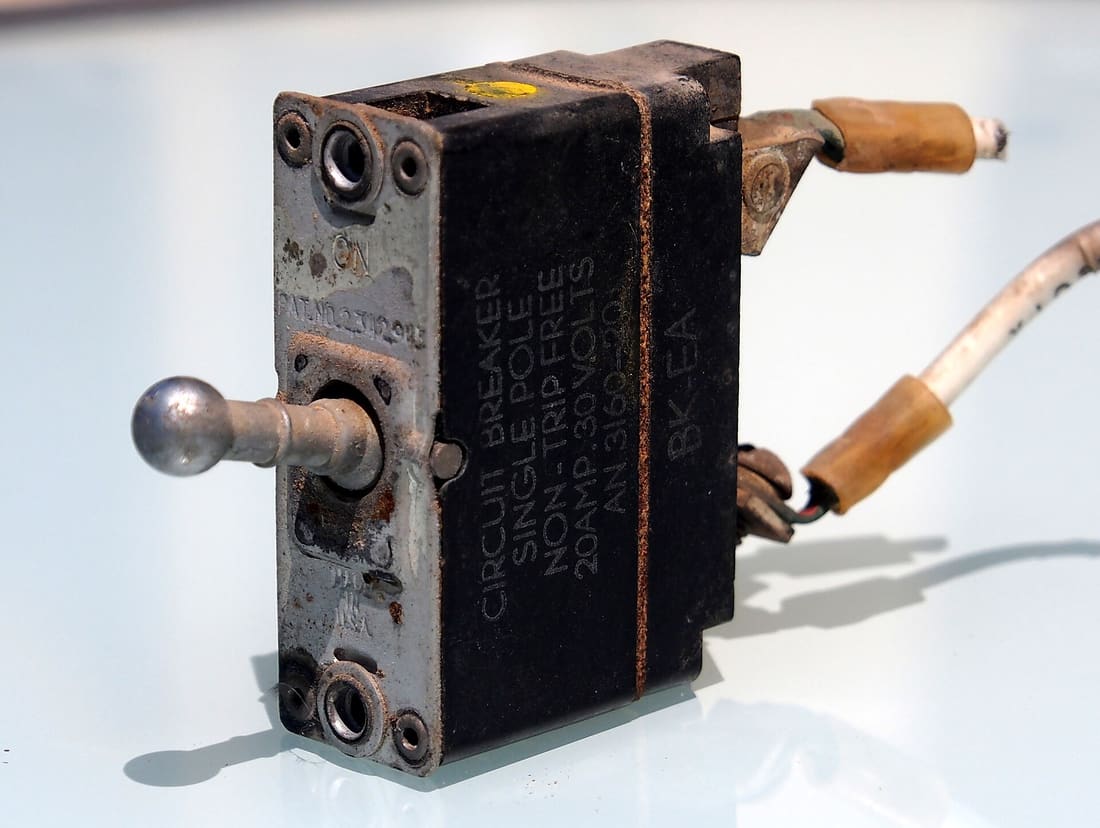 Image: Alf van Beem · CC0 · Source · Wikimedia Commons: Circuit breaker, Single pole, Non-tripfree, 20Amp-30Volts, AN 3160 pic1100%
Figure SDA-FND-10-2 · Circuit breaker states · © forcsguy.com
- Closed: normal operation, failures are counted.
- Open: calls fail immediately, saving resources.
- Half-open: a few trial calls check whether the dependency has recovered.
4. Bulkheads
Give each dependency its own pool of threads or connections, like watertight compartments in a ship, so one slow dependency cannot use up everything.
Before: a slow dependency drags everyone down
100%After: a breaker cuts the slow dependency off
100%What changed
- Callers stop waiting on a failing service
- Threads and connections are not used up
- A fallback answer is returned while the service recovers
Protect yourself from too much traffic
- Rate limiting caps how many requests a client may make (common algorithms: token bucket, sliding window). It protects against abuse and accidental floods.
- Load shedding: when overloaded, deliberately reject low-priority work early so important requests still succeed. It is better to serve 80% of requests well than 100% badly.
- Back pressure: tell producers to slow down instead of letting queues grow without bound.
Degrade gracefully
When a non-critical part fails, keep the rest working: show the page without recommendations, serve cached prices, queue the email. Decide in advance which features are essential.
Practise failure
- Health checks so traffic leaves broken instances.
- Chaos testing: deliberately kill instances in a controlled way to prove the system copes.
- Runbooks and game days so people have rehearsed the response.
A worked example: the arithmetic of availability
Downtime in a month. 99% allows about 7.3 hours; 99.9% about 43 minutes; 99.99% about 4.4 minutes; 99.999% about 26 seconds. Each extra nine is ten times harder and usually much more expensive, so choose the target your users need, not the biggest number.
Dependencies in series multiply. If a request needs three services, each 99.9% available, the request is available only 0.999 x 0.999 x 0.999 = 99.7%, about 2 hours 11 minutes of downtime a month. The more things in the critical path, the worse it gets, which is why teams shorten the critical path and make non-essential calls optional.
Redundancy in parallel helps. Two independent replicas, each 99% available, are both down only 1% x 1% = 0.01% of the time: 99.99% together. The word "independent" carries all the weight: replicas that share a rack, a deploy, a bug or a dependency fail together, and the formula no longer applies.
Retries multiply load. If every one of 1,000 requests per second fails and each caller retries 3 times, the failing service sees up to 4,000 requests per second, making recovery harder. And if three layers each retry 3 times, one user request can become 64 attempts at the bottom. Retries need limits, backoff with jitter, and a retry budget (for example, retries may be at most 10% of normal traffic).
100%Figure SDA-FND-10-3 · How availability combines · © forcsguy.com
Anatomy of a cascading failure
The classic outage is rarely one failure; it is one failure that spreads.
- A database gets slow (a bad query, a noisy neighbour). Responses that took 10 ms now take 5 seconds.
- App servers wait on it. Each request holds a thread for 5 seconds, so threads and connections fill up.
- The app can no longer accept new requests, even ones that do not need the database. The load balancer sees timeouts and marks servers unhealthy, so the same traffic lands on fewer servers.
- Callers time out and retry, which adds load to the already struggling system.
- Everything is down, and fixing the original slow query no longer brings it back, because the retry storm keeps it overloaded.
The defences are cheap compared with the outage:
- Timeouts on every call, shorter than the caller's own timeout.
- Circuit breakers that stop calling a failing dependency for a while and fail fast.
- Bulkheads: separate thread or connection pools per dependency, so one slow one cannot use all of them.
- Load shedding: when overloaded, reject some requests early to keep serving the rest.
- Backoff with jitter and retry budgets.
100%Figure SDA-FND-10-4 · A circuit breaker protects both sides · © forcsguy.com
Mistakes people make
- No timeouts, or timeouts longer than the caller's. The default in many libraries is "wait forever" or minutes.
- Retrying everything everywhere. Retry only safe, idempotent operations, at one layer, with backoff, jitter and a budget.
- Health checks that lie. A server that answers
/healthbut cannot reach its database should fail the check. - Untested failover. Failover that has never run is a guess. Practise it on purpose, in business hours.
- Shared fate. Two "redundant" systems in one zone, on one deploy pipeline, or on one dependency are one system.
- No graceful degradation. Decide in advance which features can be switched off (recommendations, images, analytics) to protect the critical path.
Try it yourself
In the System Builder, lose three servers at peak and find how much spare capacity you need. Read the resilience patterns lesson for circuit breakers and bulkheads in more depth, and build the lease leader election lab to see failover without split brain.
More on this site
Related reading
- Timeouts, retries, and backoff with jitterAmazon Builders' Library · Amazon Web ServicesBlogs
- Using load shedding to avoid overloadAmazon Builders' Library · Amazon Web ServicesBlogs
- Maglev: A Fast and Reliable Software Network Load Balancer (paper)Eisenbud et al. · GooglePapers
- Designing robust and predictable APIs with idempotencyBrandur Leach · StripeBlogs
Show 6 moreShow fewer
- Circuit BreakerMartin FowlerBlogs
- Circuit Breaker patternMicrosoft · Microsoft AzureDocumentation
- Google SRE Book: Addressing Cascading FailuresGoogle SRE team · GoogleBlogs
- Google SRE Book: Handling OverloadGoogle SRE team · GoogleBlogs
- Testing for Disaster Recovery Failover TestingUSENIX engineers · USENIXCase Studies
- Improved Production Stability with Circuit Breakers at HerokuHeroku engineers · HerokuCase Studies
Classic System Designs · 12 minDesign a rate limiterCap how often a client can call an API: the common algorithms, where to put the limiter and how to make it work across many servers.Read here
The problem
A rate limiter restricts how many requests a client may make in a period. It protects a service from abuse, accidental floods and runaway scripts, keeps costs predictable and shares capacity fairly.
Requirements
- Limit by user, API key or IP, with different limits per rule or plan.
- Add very little latency to each request.
- Work across many servers, not just one.
- Tell rejected clients clearly what happened.
- If the limiter itself fails, the API should not go down with it.
 Image: Digitura · CC0 · Source · Wikimedia Commons: Gulf, traffic jam 1970s
Where to put it
100%Figure SDA-CSD-01-1 · Rate limiter in front of the service · © forcsguy.com
The usual home is the API gateway or a middleware layer, because it sees every request early and rejects cheaply. Building it into each service duplicates effort, and a client-side limiter cannot be trusted.
Here is the same service without a limiter, and with one in front. Switch on Simulate and raise the traffic to see what each version does when a script floods it.
Before: Nothing in front
100%After: Limiter at the gateway
100%What changed
- The abusive client is stopped at the gateway, not at the service
- Counters sit in one shared store, so every server sees the same count
- Blocked requests cost almost nothing to answer
Algorithms
Algorithm Idea Good Bad Token bucket A bucket refills at a steady rate; each request takes a token Allows bursts, tiny memory Two numbers to tune Leaky bucket Requests join a queue processed at a fixed rate Smooth output rate Bursts fill the queue, old requests delayed Fixed window counter Count per minute, reset at the boundary Simplest Burst across a boundary doubles the limit Sliding window log Keep a timestamp per request, count those within the window Exact Memory per request Sliding window counter Weight the previous window's count by overlap Cheap and close to exact Approximate Token bucket is a strong default: it is cheap, and bursts are usually fine for real clients. The sliding window counter is a good choice when you need smoother accuracy.
Token bucket in a few lines
For each key store
(tokens, last_refill_time). On a request:- Add
elapsed x refill_ratetokens, up to the bucket size. - If at least one token is available, take it and allow the request.
- Otherwise reject.
The algorithms in pictures
Token bucket. Tokens drip into a bucket of fixed size; every request must take one.
100%Figure SDA-CSD-01-2 · Token bucket decision · © forcsguy.com
A walk through time (bucket of 4, refilled to full each minute):
100%Figure SDA-CSD-01-3 · Token bucket over a minute · © forcsguy.com
Leaky bucket. Requests wait in a bounded queue and leave at a fixed rate.
100%Figure SDA-CSD-01-4 · Leaky bucket · © forcsguy.com
Fixed window counter and its boundary problem. One counter per clock window is simple, but two bursts on either side of the boundary can pass double the limit.
100%Figure SDA-CSD-01-5 · Fixed window boundary burst · © forcsguy.com
Sliding window log. Keep a timestamp for every accepted request and count those inside the last window.
100%Figure SDA-CSD-01-6 · Sliding window log (2 per minute) · © forcsguy.com
Sliding window counter. Blend the previous window's count with the current one, weighted by how much of the previous window still overlaps the last minute.
100%Figure SDA-CSD-01-7 · Sliding window counter estimate · © forcsguy.com
Making it work across servers
Counters must be shared, otherwise each server enforces its own limit and a client gets N times the allowance. A fast in-memory store such as Redis works well.
- Use an atomic operation (
INCRwith expiry, or a small Lua script) so the check and the update happen together. A separate read then write lets two servers both slip through. - Put the key in a predictable shape:
rate:{user}:{rule}:{window}. - Partition keys across several Redis nodes for scale (consistent hashing, covered in lesson 2).
- To save round trips, some systems keep local counters and sync periodically, accepting small overshoot.
Why counters must be shared when there are several limiter servers:
100%Figure SDA-CSD-01-8 · Why limiter servers need shared state · © forcsguy.com
The system around the algorithm
100%Figure SDA-CSD-01-9 · Detailed rate limiter design · © forcsguy.com
The race condition when two servers read the same counter at once, and the fix:
100%Figure SDA-CSD-01-10 · Read-modify-write race on a counter · © forcsguy.com
Responses and visibility
Return HTTP 429. Include headers so clients can behave: how many requests are allowed, how many remain, and when they reset, plus
Retry-After. Log rejections and watch them, since a sudden rise can mean an attack, a bug in a client or a limit set too low.Going deeper
Two races hide in "read, check, write". If two requests read the counter at 3 at the same moment, both write 4 and one request goes uncounted. A lock fixes it but slows every request; the usual answers are an atomic script that does the read, check and increment in one step inside Redis, or a sorted set that stores one timestamp per request so each request is a single atomic add.
Many limiter servers need shared state. If each server counted only the traffic it sees, a client could send half its requests to each and double its quota. Sticky routing (always the same limiter for a client) helps but breaks when servers change and uneven load builds up. A central store such as Redis, or periodic sync with eventual consistency, is the common fix. Across regions, accept a little over-admission in exchange for not paying a cross-ocean round trip on every request.
Where the rules live. Keep rules as data on disk or in config (for example "login: 5 per minute", "marketing messages: 5 per day"), have workers refresh them into a cache, and let the limiter read them from there, so tightening a rule never needs a deploy.
Measure it. Watch two things: rules that are too strict (many valid users rejected) and an algorithm that cannot absorb a flash-sale burst. In the second case a token bucket, which allows short bursts, is the usual swap.
Other layers and the client's side. The same idea works lower down, for example per IP address in the network layer rather than per user in HTTP. Well-behaved clients cache responses, respect the limit headers, handle the rejection gracefully, and back off before retrying.
An approximate sliding-window counter blends the previous window's count (weighted by how much of it still overlaps) with the current one. It assumes traffic was even in the previous window; published tests by one large CDN found only a tiny fraction of requests were misjudged, so for most uses the saving in memory is worth it.
Failure and edge cases
- Limiter store down: usually fail open (let requests through, alert loudly) so you do not turn a limiter outage into an API outage. For security-sensitive endpoints (login attempts) you may prefer failing closed.
- Clock differences between servers: base windows on the store's clock, not each server's.
- Hard versus soft limits: some rules throttle (delay), others reject.
- Many identities: also limit by IP for anonymous traffic, and watch for one client rotating keys.
A worked example: setting the limits
Say your public API has a free plan and a paid plan. You decide a free client may make 60 requests per minute with bursts up to 10, and a paid client 600 per minute.
- Token bucket for the free plan: capacity 10, refill 1 token per second. A client idle for 10 seconds can fire 10 requests at once (the burst) and then settles to 1 per second. After a 429, it must wait about a second for the next token.
- How much traffic is that? If 50,000 free clients all use their full allowance, that is 3,000,000 requests per minute, or 50,000 per second. You almost never see that, because most clients use a fraction. Sizing from the allowance gives the worst case; sizing from observed use gives the normal case. Plan the limiter and the servers behind it for the first, and alert on the second.
- Counter memory: a token bucket needs two numbers per client (tokens, last refill time), about 16 bytes plus key overhead, say 100 bytes. For 10 million active clients that is about 1 GB, comfortably within one Redis node. A sliding window log would store a timestamp per request, up to 60 per client, which is 5 to 10 times more, one reason counters and buckets are the usual choice.
100%Figure SDA-CSD-01-11 · Choosing limits by plan · © forcsguy.com
Walking through a rejected request
- A client sends its 61st request in a minute.
- The edge gateway extracts the key (API key, falling back to IP address) and asks the limiter for that key.
- The limiter reads the bucket from the shared store, sees no tokens, and answers "no" without touching the application servers.
- The gateway returns HTTP 429 with a
Retry-Afterheader and, if you publish them, headers such asX-RateLimit-LimitandX-RateLimit-Remaining, so well-behaved clients can slow themselves down. - The rejection is counted in metrics. A rapid rise from one key suggests abuse; a rise from many keys suggests your limit is too tight or a new client release is misbehaving.
The cost of refusing is tiny compared with the cost of doing the work, which is the whole point: the limiter's decision must be much cheaper than the request it protects.
When the limiter itself fails
A limiter is in the path of every request, so decide in advance what happens when its shared store is slow or down:
- Fail open (let requests through): users keep working, but you lose protection exactly when something odd is happening. Good for most public APIs, usually with a local fallback limit per server.
- Fail closed (reject everything): safe for anything where overload is worse than refusal, such as an expensive or sensitive operation.
- Keep a small local, in-memory limit on each server as a backstop, so even with the shared store down a single server cannot be flooded.
100%Figure SDA-CSD-01-12 · Fail open with a local backstop · © forcsguy.com
Mistakes people make
- Limiting only by IP address. Many users share one address (offices, mobile carriers), and attackers rotate addresses. Prefer an API key or user id, with IP as a fallback.
- Using the wrong clock. Limiter servers whose clocks drift apart count windows differently. Take time from the shared store, not each server.
- Race conditions on counters. Reading a counter, adding one and writing it back lets two requests slip through together. Use an atomic increment or a small server-side script.
- No visibility. Without rejection metrics you cannot tell abuse from a limit set too low.
- Rejecting without guidance. Send
Retry-Afterso clients can back off properly instead of retrying immediately and making things worse.
Try it yourself
Open the System Builder challenge A noisy client. One abusive client sends 97% of the traffic. Try to survive it by adding servers (you cannot, within 12), then switch on the rate limiter and watch the real users' errors disappear. Then build the sliding window rate limiter lab and see the boundary burst for yourself. You can also open the noisy-client design on the free canvas and place the rate limiter where you think it belongs.
More on this site
Related reading
- How we built rate limiting capable of scaling to millions of domainsCloudflare engineering · CloudflareCase Studies
- Scaling Your API with Rate LimitersPaul Tarjan · StripeBlogs
- Using load shedding to avoid overloadAmazon Builders' Library · Amazon Web ServicesBlogs
- Rate Limiting with NGINXNGINX · F5 / NGINXBlogs
Show 6 moreShow fewer
Classic System Designs · 12 minDesign a news feedShow each user a fast, personalised list of posts from people they follow: fan-out on write versus on read, and the hybrid that works at scale.Read here
The problem
A news feed shows a user a stream of recent posts from the accounts they follow, newest or most relevant first. It must load fast, even for users who follow thousands of accounts, and new posts should appear within seconds.
Two operations
- Publish a post: store it and make it visible to followers.
- Get feed: return the first page of the user's feed quickly.
Estimates
Say 300 million daily users who open the feed several times a day. Reads vastly outnumber posts, so read speed is the priority. Feeds are hot data, which suits caching.
Two basic strategies
Fan-out on write (push)
When a post is published, immediately push its id into each follower's feed list (kept in a cache such as Redis).
- Reading a feed is a single quick lookup.
- Publishing is expensive for users with many followers, and wasted for followers who never come back.
Fan-out on read (pull)
Build the feed when it is requested: fetch recent posts of everyone the user follows and merge.
- Publishing is cheap.
- Reading is slow and heavy, especially for users who follow many accounts.
Before: fan-out on read
100%After: fan-out on write
100%What changed
- Opening the feed becomes one cheap read
- Posting costs more because it writes to every follower
- Accounts with millions of followers need the pull approach
The hybrid that works
Use push for most accounts and pull for very popular ones.
100%Figure SDA-CSD-07-1 · Hybrid feed: push for most, pull for popular accounts · © forcsguy.com
Publish flow
- Save the post.
- Put a job on a queue so the request returns quickly.
- Workers look up the author's followers (from a graph or follower store) and push the post id to each follower's feed list, keeping only the latest few hundred.
- For accounts above a follower threshold, skip step 3.
Read flow
- Fetch the user's feed list (post ids) from the feed cache.
- Fetch recent posts from followed popular accounts and merge.
- Hydrate the ids by loading post content, author profile and like counts from caches, falling back to the database.
- Rank and return a page with a cursor for the next one.
Storing only ids in feeds keeps them small. Content lives once, in the post store and its cache.
The two flows
100%Figure SDA-CSD-07-2 · Publishing a post · © forcsguy.com
100%Figure SDA-CSD-07-3 · Reading the feed · © forcsguy.com
Components
Component Role Post service and store Create and store posts Social graph Who follows whom Fan-out workers Build feeds asynchronously Feed cache Per-user list of recent post ids Content and counter caches Fast hydration Ranking Order by recency, relevance and relationships The cache layers
A feed system leans on separate caches for separate jobs: the feed lists (post ids per user, capped to a few hundred or thousand since few users scroll further), the content of posts (with a hot tier for popular ones), the social graph (who follows whom, often held in a graph-friendly store), actions (did this user like or reply to this post) and counters (likes, replies, followers). Fan-out also respects settings: a muted or hidden account is filtered out when feeds are built, even though the follow still exists. Media files go through a CDN rather than the feed service.
Other concerns
- Pagination: use cursors (the id or time of the last item), not page numbers, so new posts do not shift pages.
- Deletes and privacy changes: mark posts as deleted and filter at read time, since removing ids from millions of feeds is expensive.
- Cold start: a new or returning user has an empty feed, so build it by pull the first time.
- Consistency: feeds are eventually consistent. A post appearing a few seconds late is acceptable.
- Hot keys: viral posts concentrate reads, so cache and replicate them widely.
Worked numbers: why a hybrid is needed
Take 300 million daily users, each opening the feed 5 times a day, and an average user with 300 followers.
- Reads: 300M x 5 = 1.5 billion feed reads a day, about 17,000 per second, 50,000 at peak. Feeds are read far more than they are written, which favours doing work at write time.
- Fan-out on write for an ordinary user: one post becomes 300 feed insertions. If 10 million posts a day are made, that is 3 billion insertions a day, about 35,000 per second. Heavy, but steady and it runs in the background.
- Fan-out on write for a celebrity with 50 million followers: one post becomes 50 million insertions. At 100,000 insertions per second that takes 500 seconds, over eight minutes, during which the post appears to some followers and not others, and the write workers are busy with nothing else. Posting twice an hour would keep the system saturated.
- Fan-out on read for the same celebrity: nothing happens at write time. Each follower's feed request pulls the celebrity's latest posts and merges them: cheap per request, because one celebrity's recent posts are tiny and sit in cache.
Hence the hybrid: push for ordinary accounts (fast reads, bounded write cost), pull for very popular ones (no write explosion), merged when the feed is built.
100%Figure SDA-CSD-07-4 · The cost of one post, push versus pull · © forcsguy.com
Ranking: chronological versus relevance
A feed can be ordered by time (simple, predictable) or by predicted relevance (better engagement, much more machinery). A relevance feed is usually built in stages: candidate generation gathers a few hundred recent posts from the people you follow; ranking scores each with a model that uses features such as who posted, how you interacted before, post age and content type; filtering removes seen, blocked or policy-violating posts; and the top results are stored as the feed page. Mention that ranking changes the cache design: ranked pages are personal and short-lived, whereas the lists of post ids are shared and reusable.
100%Figure SDA-CSD-07-5 · A ranked feed in stages · © forcsguy.com
Mistakes people make
- Offset paging on a live feed. New posts shift the list, so users see duplicates or miss items. Use a cursor ("posts older than this id"); see the keyset pagination lab.
- Storing full posts in every follower's feed. Store post ids and fetch the content from a shared cache; otherwise an edit or delete must be repeated millions of times.
- Forgetting deletes and blocks. A deleted or blocked post must disappear from feeds that already contain it; filter at read time.
- Treating all users alike. Inactive users do not need their feeds precomputed. Build lazily on their return.
- No limit on feed length. Keep only the latest few hundred ids per user and fall back to a slower path for older history.
Try it yourself
The write-heavy System Builder challenge "A burst of writes" shows the same pressure as a celebrity post: many writes that the database cannot apply at once. Try it with and without a queue, and compare how it feels to push work into the background. To model the feed's write path yourself, open the social feed on the free canvas.
More on this site
Related reading
- TAO: Facebook's Distributed Data Store for the Social Graph (paper)Bronson et al. · Meta (Facebook)Papers
- TAO: The power of the graphMeta Engineering · MetaCase Studies
- Solving Remote Build Cache Misses (2 parts) at SoundCloudSoundCloud engineers · SoundCloudCase Studies
- How we built rate limiting capable of scaling to millions of domainsCloudflare engineering · CloudflareCase Studies
Show 6 moreShow fewer
- Meta Engineering BlogMeta Engineering · MetaBlogs
- Netflix Technology BlogNetflix Engineering · NetflixBlogs
- Scaling Memcache at Facebook (paper)Nishtala et al. · Meta (Facebook)Papers
- Backend Developer Roadmaproadmap.sh community · roadmap.shCourses
- Facebook AI Research Engineering BlogFacebook AI Research engineers · Facebook AI ResearchBlogs
- Latest News from Google Research BlogGoogle engineers · GoogleBlogs
Go deeper on this
A path through videos, articles, other case studies and code on the same ideas as How we built rate limiting capable of scaling to millions of domains.
Warm upGet the vocabulary first.
Courses
Google SRE Book
Free online book on running reliable production systems at Google scale.
GoogleAdvanced
Courses
MIT 6.824: Distributed Systems
Free university course on fault tolerance, replication and consensus with Go labs.
MITAdvanced
WatchHow others solve the same problem, on video.
Videos belong to their creators and play from YouTube. More on YouTube (opens in a new tab)
ReadEngineers explain it in their own words.
Blogs
Amazon Builders' Library
How Amazon builds reliable systems: timeouts, retries, backoff, load shedding.
Amazon Web ServicesAdvanced
Papers · Read here
Bigtable: A Distributed Storage System for Structured Data (paper)
Google's wide-column store: tablets split by key range, a commit log plus sorted files on disk, and the design later copied by HBase and Cassandra.
GoogleAdvanced
See it in another companyThe same ideas, a different system.
Case Studies · Read here
Distributed Rate Limiting at Allegro
In our services ecosystem it’s usually the case that services can handle a limited amount of requests per second. We show how we introduced a new algorithm for our publish-subscribe queue system. The road to productio...
AllegroIntermediate
Case Studies
Cloud Bouncer: Distributed Rate Limiting at Yahoo
Most platforms at Yahoo serve dozens of Yahoo Properties and Apps at any given time (think Mail, Finance, Flickr etc.) and are operated as multi-tenant services on shared infrastructure for cost efficiency and on dema...
YahooIntermediate
Read the codeSee how it looks when it is real.
GitHub
Awesome Distributed Systems
A curated list of distributed-systems papers, books, talks and courses.
GitHubAdvanced
GitHub
Papers We Love (repository)
A large, organised collection of computer-science papers by topic.
GitHubAdvanced
Keep learning
Loading community…